
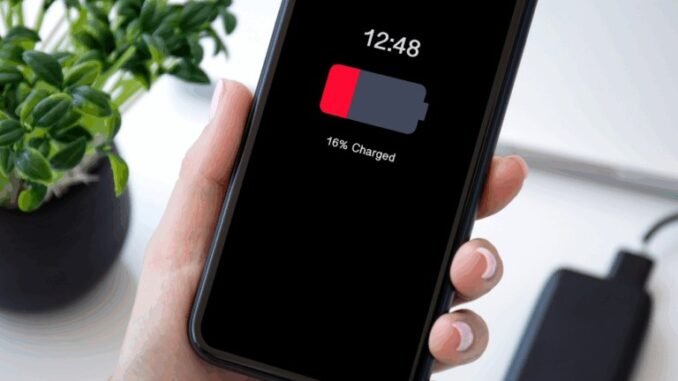
Asking why does my phone battery drain so fast and how do I fix it is practically a modern rite of passage. One day your phone lasts all day, the next it is gasping for a charger by mid-afternoon. I have been the person carrying a power bank everywhere, and I can tell you: fast battery drain almost always has a specific cause, and most of them are fixable without buying a new phone.
The culprits fall into three buckets: settings that burn power silently, apps misbehaving in the background, and a battery that is simply wearing out. Let us diagnose yours.
Why Does My Phone Battery Drain So Fast and How Do I Fix It? The Usual Suspects
1. Your screen is the biggest power hog
The display typically eats 40 to 60 percent of your battery. Two settings matter most: brightness and screen timeout. Turn on auto-brightness, drop the timeout to 30 seconds, and if your phone has an OLED screen (most iPhones and Galaxy phones do), switch to dark mode. Dark mode on OLED can cut display power use dramatically because black pixels are literally turned off. I gained about an hour of screen time from this alone.
2. Background app refresh is working overtime
Dozens of apps wake up constantly to fetch data you will never look at. On iPhone: Settings > General > Background App Refresh, turn it off for everything except messaging, email, and navigation. On Android: Settings > Apps, and restrict background activity for the worst offenders. Your battery usage screen (Settings > Battery on both platforms) names and shames the biggest drainers, check it first, it takes ten seconds.
3. Location services running wild
GPS is one of the hungriest radios in your phone. Set location access to “While Using the App” instead of “Always” for everything except Find My, family tracking, and navigation. Weather apps, shopping apps, and games do not need to know where you are 24/7, no matter what they claim.
4. 5G is fast and thirsty
5G, especially the ultra-fast mmWave flavor, drains battery noticeably faster than LTE. If you are not downloading huge files, switching to LTE/4G (iPhone: Settings > Cellular > Cellular Data Options > Voice & Data; Android: similar under Mobile Network) can add real hours. I leave 5G off unless I need it, and honestly never miss it.
5. Push email and constant syncing
Push email keeps a constant connection open. Switching to fetch every 30 minutes instead of push makes a measurable difference, especially with multiple accounts. Same goes for cloud photo syncing over cellular, set it to Wi-Fi only.
When an App Goes Rogue
Sometimes one misbehaving app drains 30 percent of your battery overnight. The signs: your phone is warm when idle, or the battery graph shows a steep cliff while you were asleep. The fix sequence I use:
- Check Settings > Battery to identify the culprit.
- Force-stop it and see if drain normalizes.
- Update it, battery-draining bugs are common and usually patched quickly.
- If it persists, delete and reinstall it.
- As a last resort, find an alternative app. No app is worth a dead phone.
Social media apps are the worst repeat offenders. Facebook, TikTok, and Snapchat are notorious. Using them in a browser instead of the app, or at least disabling their background activity, helps enormously.
Is Your Battery Just Worn Out?
Lithium batteries degrade. After about 500 full charge cycles (roughly two years of daily use), most phone batteries hold only 80 percent of their original capacity. Check yours: iPhone shows Maximum Capacity under Settings > Battery > Battery Health & Charging. Android users can check with apps like AccuBattery or in Settings > Battery on newer Pixels and Galaxies.
If capacity is under 85 percent and you are otherwise happy with the phone, a battery replacement ($50-$90 at most shops, $89 at Apple) makes it feel brand new. I have done this twice instead of upgrading, and both times it bought me another 18 months with a phone I liked. Way cheaper than a $800 upgrade.
Charging Habits That Actually Matter
- Heat is the enemy. Do not leave your phone baking on a car dashboard or charge it under a pillow. Heat degrades batteries faster than anything else.
- Overnight charging is fine now. Modern phones (iPhone’s Optimized Charging, Android’s Adaptive Charging) slow the final charge to protect the battery. The old “don’t charge past 80%” anxiety is mostly outdated, though keeping it between 20 and 80 percent does technically extend lifespan.
- Use decent chargers. Ultra-cheap chargers can deliver dirty power. Stick with the manufacturer’s charger or a reputable brand like Anker.
- Wireless charging generates more heat than wired. Fine occasionally, but your nightly charger should probably be a cable.
Quick Wins Checklist
Short on time? Do these five things right now, they take under five minutes total:
- Turn on battery saver / Low Power Mode.
- Drop screen brightness and enable dark mode.
- Set location to “While Using” for all non-essential apps.
- Turn off Background App Refresh for social media apps.
- Restart your phone (clears runaway processes).
The Bottom Line
Your phone battery drains fast because of screen settings, background activity, location tracking, 5G, or simply an aging battery, and every one of those has a fix. Work through the settings above before you even think about a new phone. And if your battery health is under 85 percent, a $50-$90 replacement beats an $800 upgrade every single time. Your charger can finally stay home.
Frequently Asked Questions
Why does my battery drain overnight when I am not using my phone?
Overnight drain usually means an app is working hard in the background: syncing, tracking location, or stuck in a loop. Check Settings and Battery the next morning to see the overnight consumption breakdown. Common culprits include social media apps, email set to push, and poor cellular signal (the phone burns power straining to stay connected). Airplane mode overnight is a legitimate strategy if the drain is severe.
Does closing apps save battery?
Counterintuitively, no. Both iOS and Android freeze background apps efficiently, and force-closing them means the phone spends more energy relaunching them later. Apple and Google engineers have both said this explicitly. The exception: a genuinely misbehaving app that is draining battery, which you can identify in battery settings and force-stop individually.
Is wireless charging bad for battery health?
Wireless charging generates more heat than wired charging, and heat is the main enemy of battery longevity. Occasional wireless charging is harmless, but if you wirelessly charge every night for years, you may see slightly faster degradation than with a cable. For nightly charging, a standard wired charger remains the gentlest option.
At what battery health percentage should I replace the battery?
Consider replacement when maximum capacity drops below 85 percent and you notice the difference in daily use, or below 80 percent regardless. iPhones will also tell you directly with a “Service” notice under Battery Health. A $50 to $89 replacement at that point buys another year or two of comfortable use. You can learn how lithium batteries age in Apple’s battery information page.
Leave a Reply