
Asking how long should a laptop battery last before needing replacement usually happens at a frustrating moment: the laptop that used to go all day now dies by lunch. I have nursed many aging laptops through this phase, and here is the straight answer: most laptop batteries deliver solid performance for 2 to 4 years (roughly 300 to 500 full charge cycles) before degradation becomes noticeable, and replacement makes sense long before buying a new machine does.
How Long Should a Laptop Battery Last Before Needing Replacement? The Real Numbers
Laptop batteries are rated in charge cycles, one full cycle being a complete 0-to-100% discharge and recharge (partial charges add up fractionally). Most manufacturers design for:
- 300-500 cycles to reach 80% of original capacity: typical for most Windows laptops.
- 1,000 cycles to reach 80%: Apple’s MacBook rating, notably better than average.
- In years, that translates to roughly 2-3 years for heavy daily users and 3-5 years for lighter users.
Once capacity drops below 80%, you will feel it: the laptop that lasted 8 hours now manages 5, then 3. Below 60-70%, it becomes a desktop that occasionally pretends to be portable. That is replacement time.
How to Check Your Battery Health Right Now
- Windows: Open Command Prompt and type powercfg /batteryreport, then open the generated HTML file. It shows design capacity versus full charge capacity, do the division to get your health percentage, plus cycle count and usage history.
- Mac: Hold Option, click the Apple menu > System Information > Power. Check Cycle Count and Condition (Normal, Service Recommended, or Service Battery).
- Quick rule: Health above 85% = fine. 80-85% = declining but usable. Below 80% = start planning a replacement.
Replace the Battery or Replace the Laptop?
This is the real question, and the math usually favors the battery:
- Battery replacement costs $50-$100 for most Windows laptops (DIY with a part from Amazon or the manufacturer) and $129-$199 at Apple for MacBooks. Compare that to $500+ for a new laptop.
- Replace the battery when: The laptop is under 5 years old, performance is still fine for your needs, and the battery is the only problem. A fresh battery genuinely makes it feel new again.
- Replace the laptop when: It is 6+ years old, struggles with current software, has less than 8GB RAM, lacks an SSD, or needs multiple expensive repairs (battery + screen + keyboard = new laptop territory).
- Check replaceability first: Many ultrabooks have glued-in batteries that are difficult DIY jobs. Business laptops (ThinkPads, Dell Latitudes) often have easily swappable batteries. iFixit has free guides showing the difficulty for most models.
Make Your Battery Last Longer
- Heat is the number one killer. Do not use your laptop on a bed or couch cushion that blocks vents. A $20 cooling stand genuinely extends battery lifespan.
- Use the manufacturer’s charge limiter. Lenovo, Dell, ASUS, and Apple all offer settings to cap charging at 80% for daily use. If your laptop mostly lives on a desk, this single setting can add a year or more to battery life.
- Avoid deep discharges. Regularly draining to 0% stresses lithium batteries. Charge when you hit 20-30%.
- Store at ~50% if unused. Leaving a laptop fully charged or fully dead in a closet for months degrades the battery. 50% is the storage sweet spot.
- Reduce the workload: Lower screen brightness, close unused browser tabs, and check which apps drain power (Task Manager > App history on Windows, Activity Monitor > Energy on Mac).
- Update your OS and drivers. Power management improvements ship in updates regularly.
Warning Signs Your Battery Needs Immediate Attention
- Swelling: Trackpad bulging, case not sitting flat, screen separating from the body. A swollen battery is a fire hazard. Stop using the laptop, do not puncture it, and take it to a repair shop or recycle it properly.
- Sudden shutdowns at 20-30% charge: The battery’s fuel gauge is lying, a classic end-of-life symptom.
- “Plugged in, not charging”: Can be a dead battery, a dead charger, or a driver issue. Test with a different charger before buying a battery.
- Condition: “Service Battery” on Mac, or Windows reporting critically low capacity.
DIY vs. Professional Replacement
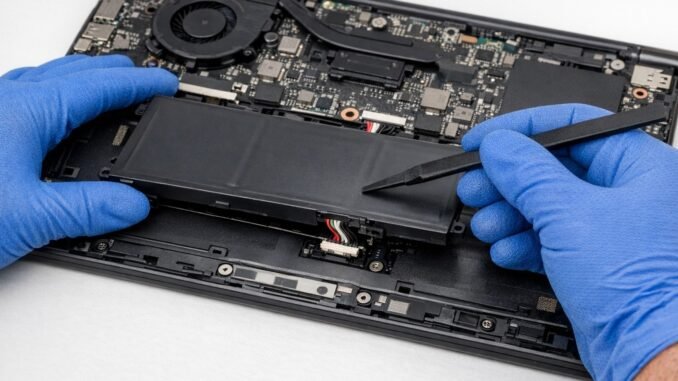
DIY replacement is straightforward on many laptops: remove the bottom panel (usually 8-10 screws), unplug the old battery, plug in the new one. iFixit guides rate most business laptops as easy. But glued-in batteries (MacBook Air, many ultrabooks) are genuinely tricky and risk damaging the trackpad or logic board. My rule: if the iFixit difficulty is “Moderate” or below and you are comfortable with a screwdriver, DIY and save $50-$80. If it says “Difficult” or involves adhesive and prying near the battery, pay a professional. Punctured lithium batteries catch fire, and that is not a DIY learning experience anyone wants.
The Bottom Line
A laptop battery should last 2 to 4 years or 300-500 charge cycles before needing replacement, and you will know it is time when capacity drops below 80% or the laptop cannot survive a morning unplugged. Check your battery health report, replace the $50-$100 battery instead of the $500+ laptop when the machine is otherwise fine, use charge limiters and avoid heat to extend the next battery’s life, and treat any swelling as an immediate safety issue, not a maintenance task.
Frequently Asked Questions
Can I leave my laptop plugged in all the time?
Yes, with a caveat: use your manufacturer’s battery charge limiter (Lenovo, Dell, ASUS, and Apple all offer 80% caps) if the laptop mostly lives on a desk. Constant 100% charge plus heat accelerates degradation. With a charge limiter enabled, leaving it plugged in is harmless and actually reduces charge cycles, extending battery lifespan significantly.
Why does my laptop battery drain when it is shut down?
Modern laptops never fully power off by default; features like USB charging while asleep, Wake on LAN, and connected standby sip power. Some drain is normal (a few percent overnight), but large drops suggest a misbehaving driver or peripheral. Disabling fast startup in Windows power settings and unplugging USB devices often resolves excessive shutdown drain.
Is it worth replacing the battery on a 6-year-old laptop?
Usually not, unless the laptop otherwise meets your needs perfectly and you plan to use it another two years. At 6+ years, other components (CPU performance, software support, screen, keyboard wear) are likely becoming limitations too. Put the $50 to $100 toward a replacement fund instead. The exception: a high-end business laptop still performing well, where a battery buys meaningful extra life.
How do I dispose of an old laptop battery safely?
Never put lithium batteries in the trash; they cause fires in garbage trucks and landfills. Take them to Best Buy, Staples, or any Call2Recycle drop-off location, all free. Tape over the battery terminals with electrical tape before transport to prevent short circuits. If the battery is swollen, handle it carefully, avoid puncturing it, and take it directly to a hazardous waste facility. For the science behind battery aging, see Battery University’s battery care articles.
Leave a Reply