
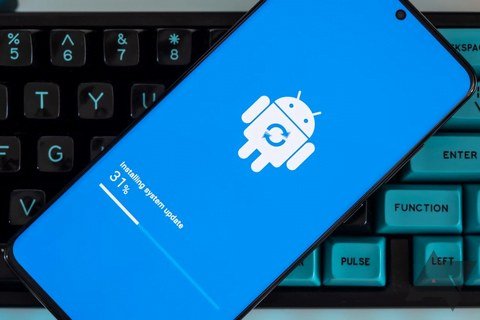
Wondering how do I update my old phone to keep it running longer is the financially smart question most people skip on the way to the carrier store. I have kept phones alive and genuinely pleasant to use for five years with the routine below. A phone that feels “too slow” is usually a phone that needs maintenance, not replacement, and the whole refresh takes about an hour.
How Do I Update My Old Phone to Keep It Running Longer? Step 1: Update Everything
Start with the obvious, because an alarming number of slow phones are just behind on updates:
- Install the OS update. iPhone: Settings > General > Software Update. Android: Settings > System > Software update. Updates include performance improvements and security patches. If your phone no longer receives OS updates (typically after 4-6 years), that is a legitimate reason to consider upgrading for security reasons.
- Update all apps. App Store/Play Store > update everything. Developers constantly fix the performance bugs and battery drains that make old phones feel old.
- Restart the phone after updates. Clears out stuck processes and lets everything settle.
Step 2: Free Up Storage (The Biggest Speed Win)
Phones with nearly full storage slow to a crawl because the OS has no room for caches and swap space. Aim to keep at least 10-15% free:
- Check usage: iPhone Settings > General > iPhone Storage; Android Settings > Storage.
- Offload unused apps (iPhone) or uninstall apps you have not opened in months.
- Move photos to the cloud and enable Optimize Storage.
- Clear message attachments: Years of shared videos in Messages/WhatsApp. Review large attachments and delete.
- Delete downloaded media you have already watched or listened to.
- Clear browser cache and app caches (Android: per-app; iPhone: offload and reinstall the worst offenders).
I have seen three-year-old phones transform from miserable to snappy with storage alone. It is the highest-impact maintenance there is.
Step 3: Tame Battery Drain and Background Activity
- Check battery health. iPhone: Settings > Battery > Battery Health. Below 85%? A $50-$89 battery replacement is the best money you can spend on an old phone, it genuinely makes it feel new.
- Disable Background App Refresh for apps that do not need it.
- Turn off unnecessary location access (set to “While Using” instead of “Always”).
- Reduce motion and transparency (iPhone: Accessibility > Motion > Reduce Motion; Android: Developer options > animation scales to 0.5x). Older processors feel dramatically snappier.
- Switch from 5G to LTE if battery is the issue; the speed difference is invisible for most use.
Step 4: The Nuclear Refresh (When Nothing Else Works)
If the phone is still miserable after all that, do a factory reset and set up as new:
- Back up everything first: photos to cloud, WhatsApp chats, authenticator codes (critical, export these), and any local-only data.
- Factory reset: iPhone Settings > General > Transfer or Reset > Erase All Content; Android Settings > System > Reset.
- Set up as a new phone rather than restoring the backup. Restoring can reimport whatever corruption or bloat caused the problem.
- Reinstall only the apps you actually use. You will be shocked how many you do not miss.
This is the closest thing to a new phone for free. I do it every 2-3 years on my own devices and it consistently buys another year or two of happy use.
Hardware Upgrades Worth Considering
- Battery replacement ($50-$89): The number one old-phone upgrade. Do this before anything else.
- Screen protector + case: Protects your investment in keeping the phone. A $30 case on a phone you are keeping three more years is obvious math.
- Charging port cleaning: Lint packed in the port causes “my charger doesn’t work” issues. Gently clean with a toothpick or compressed air. Free fix, common problem.
- What you cannot upgrade: RAM and storage are soldered on modern phones. If those are the bottleneck, it is genuinely upgrade time.
When to Stop Maintaining and Just Upgrade
- No more security updates (check your manufacturer’s support timeline).
- Apps you need require a newer OS than your phone supports.
- Battery replacement + needed repairs exceed half the phone’s value.
- You have done everything above and it is still painful to use daily. Life is short.
The Bottom Line
To update your old phone and keep it running longer: install all OS and app updates, free up storage to at least 10-15% free, replace the battery if health is under 85%, tame background activity and animations, and do a factory reset set up as new when all else fails. This routine reliably adds 1-2 years to a phone’s useful life. Only upgrade when security updates end or the hardware genuinely cannot keep up.
Quick Answers to Common Questions
Will updating slow down my old phone?
Major OS updates can temporarily feel slower on old hardware as the system re-indexes, but this resolves within a day or two. Long-term, updates include performance optimizations and security patches that help old phones. The myth of updates deliberately slowing phones is largely that, a myth; what slows old phones is accumulated cruft, full storage, and degraded batteries, all addressed in this guide.
How do I know if my phone is too old to update?
Check Settings, Software Update: if no updates are offered and your OS version is several years behind current, support has likely ended. Apple lists vintage and obsolete products on its website; Android manufacturers publish update timelines (Samsung and Google now promise 7 years on flagships). No security updates for over a year is the practical definition of too old for a daily-use phone.
Is it safe to buy a used battery for my phone?
Risky. Counterfeit and low-quality batteries are common on marketplaces, and a bad lithium battery is a fire hazard, not just a performance issue. Buy from reputable sources: the manufacturer, iFixit (which sells quality-tested batteries with guides), or established repair shops. Saving $20 on a sketchy battery is never worth the risk.
Should I upgrade to the latest OS on the last supported version?
Yes, install the final security updates your phone is offered. Apple and Google continue releasing security patches for older OS versions for a time after new releases. These final updates are pure benefit: no new features to slow things down, just protection. Install them promptly and keep the phone as secure as its hardware allows. Check Apple’s software update support for your model’s update status.
Leave a Reply