
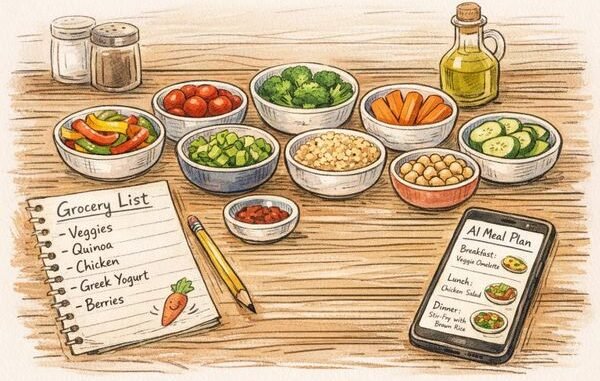
It’s 5:30pm. You’re staring into the fridge, nothing’s defrosted, the kids are hungry, and you’re about to order $45 of takeout for the third time this week. The problem isn’t cooking skill — it’s planning. Meal planning is one of those tasks that’s simple but tedious, which makes it perfect for AI. If you’re asking how can AI help with meal planning and grocery lists, the answer is: dramatically, and in ways that save real money — the average family wastes over $1,500 a year on uneaten food, and most of that is a planning failure AI can fix.
Here’s what AI does better than any meal-planning app or Pinterest board: it works with your constraints — your dietary needs, your budget, what’s already in your fridge, the ingredients you hate — and produces a complete, coherent plan in seconds. No generic “30 healthy recipes” list. A plan built for your actual life.
How Can AI Help With Meal Planning and Grocery Lists? The Core Uses
1. Full weekly meal plans in seconds
The magic prompt formula: dietary needs + budget + time constraints + preferences + number of people. For example:
“Create a 7-day dinner meal plan for 2 adults and 2 kids (ages 6 and 9). Budget: $120 for the week. One adult is vegetarian. Dinners must take under 30 minutes on weeknights. Kids are picky — avoid spicy food and mushrooms. Include a consolidated grocery list organized by store section.”
What you get back: 7 dinners with recipes, a single organized shopping list, and usually the total staying in budget. Adjust with follow-ups: “Swap Wednesday’s meal — we had pasta last night” or “Make Friday’s dinner something we can prep ahead.” This one use case alone replaces 1–2 hours of weekly planning.
2. “What’s in my fridge” cooking
The end-of-week scenario: random ingredients, no plan. List what you have:
“I have chicken thighs, rice, a bell pepper, half an onion, soy sauce, and eggs. Give me 3 dinner ideas using only these plus basic pantry staples.”
This directly attacks food waste — the #1 source of grocery overspending. Americans throw away roughly 30% of food purchased; cooking what you have instead of shopping for new recipes is the single biggest fix, and AI makes it effortless.
3. Smart grocery lists
AI doesn’t just list ingredients — it optimizes:
- Consolidated across recipes: No more buying cilantro three times because three recipes each listed it separately.
- Organized by store section: Produce, meat, dairy, pantry — shop once through the store instead of zigzagging.
- Pantry-aware: Tell it what staples you already have (rice, pasta, canned tomatoes, spices) and it excludes them.
- Budget-checked: Ask for estimated costs per item and flag if the total exceeds your budget.
4. Dietary restriction navigation
Gluten-free, dairy-free, low-sodium, diabetic-friendly, high-protein — managing restrictions across a whole family’s meals is genuinely complex. AI handles the constraint juggling: “Plan 5 high-protein lunches under 500 calories each, dairy-free, that I can meal prep on Sunday in under 90 minutes.” It also suggests substitutions instantly: “What’s a good egg substitute for this recipe? My son has an egg allergy.”
5. Batch cooking and meal prep plans
“Design a Sunday meal prep session: 2 hours total, producing 5 days of lunches for one person. High protein, around $40 in groceries. Give me the prep order so everything finishes efficiently.” AI sequences the cooking (start the grains, chop while they cook, etc.) — the logistics that make meal prep feel overwhelming.
Tools Beyond the Chatbot
- ChatGPT / Claude: The most flexible — handles all the above with natural conversation and iteration.
- Meal planning apps with AI: Apps like Mealime, Eat This Much, and PlateJoy now incorporate AI personalization. Good if you want structure plus automation.
- Grocery integration: Pair your AI-generated list with Walmart+, Instacart, or Amazon Fresh — copy the list into the app and order. Some users go from plan to delivered groceries in 20 minutes.
Making It Actually Work Week After Week
- Build a preference profile once. Write down your family’s likes, dislikes, allergies, budget, and time constraints. Paste it into every planning session — or save it as a custom instruction. The AI gets better as your profile gets richer.
- Plan around sales. Check your store’s weekly ad, then prompt: “Chicken breast and broccoli are on sale this week. Build 4 dinners around them.” This is how you cut 20–30% off the grocery bill.
- Theme your nights. Taco Tuesday, pasta Wednesday, sheet-pan Thursday — themes reduce decision fatigue and AI fills in the variations so it doesn’t get boring.
- Keep a “greatest hits” list. When the family loves something, save it. Ask AI to build future plans around your proven winners plus one new experiment weekly.
- Review and adjust. “We loved the chicken stir fry but the kids hated the lentil soup. Adjust next week’s plan.” The feedback loop is what makes it sustainable.
The Honest Limitations
- Verify nutrition claims. AI estimates of calories and macros are approximate. If you’re managing diabetes or another condition, verify with reliable sources or a dietitian.
- Check prices locally. AI doesn’t know your store’s actual prices. Use its estimates as a guide, not gospel.
- Taste is personal. AI can’t taste. The first time you try a new AI-suggested recipe, treat it as an experiment — keep a backup plan for picky eaters.
- Food safety still matters. AI occasionally suggests questionable storage times or temperatures. When in doubt, check FoodSafety.gov.
For the budget side of the equation, our guide on saving money on groceries each month pairs perfectly with AI meal planning. And for broader kitchen efficiency, our weekly meal prep routine guide covers the hands-on side.
The bottom line: give AI your constraints (budget, diet, time, preferences, what’s in the fridge), get back a complete meal plan with an optimized grocery list, and iterate based on what your family actually eats. The families who stick with it report saving $100–$200 a month and — just as valuable — never staring into the fridge at 5:30pm in despair again.
Leave a Reply