
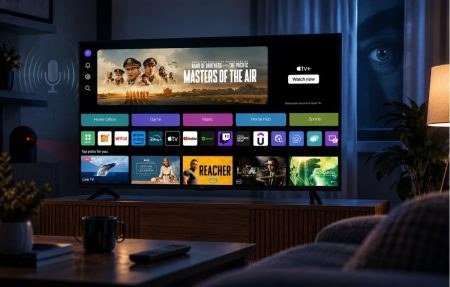
Learning how do I stop my smart TV from collecting my viewing data is important because here is an uncomfortable truth: your smart TV is probably the most aggressive data collector in your home. Every major brand uses ACR (Automatic Content Recognition) technology that fingerprints everything on your screen, every show, every ad, even content from connected devices, and sells those viewing habits to advertisers. I disabled it on every TV I own, and you should too. It takes five minutes per TV.
How Do I Stop My Smart TV From Collecting My Viewing Data? The Universal Steps
Every brand hides these settings differently, but the pattern is the same: find the privacy or viewing-data setting and turn it off, then limit ad tracking. Brand-by-brand instructions:
Samsung (Tizen)
- Settings > General > Privacy (or Terms & Privacy).
- Turn off Viewing Information Services (this is Samsung’s ACR).
- Turn off Interest-Based Advertisements.
- Under General > System Manager > Usage Mode, make sure it is set to Home Mode, not Store/Demo Mode.
LG (webOS)
- Settings > All Settings > General > System > Additional Settings.
- Turn off Live Plus (LG’s ACR feature).
- Go to General > Advertisements and turn off personalized ads / limit ad tracking.
- During setup or in agreements, decline the Viewing Information agreement specifically. You can revisit this under General > About This TV > User Agreements.
Roku TV
- Settings > Privacy > Smart TV Experience: uncheck “Use info from TV inputs.”
- Settings > Privacy > Advertising: check “Limit ad tracking.”
- Roku is among the more aggressive data collectors, these two settings are essential.
Amazon Fire TV
- Settings > Preferences > Privacy Settings.
- Turn off Device Usage Data and Collect App Usage Data.
- Turn off Interest-Based Ads.
Google TV / Android TV (Sony, TCL, Hisense)
- Settings > Privacy, and review each toggle.
- Limit ad tracking and disable usage diagnostics.
- Note: some manufacturers (TCL, Hisense) add their own ACR under separate menus, check the manufacturer’s privacy settings too, not just Google’s.
Apple TV
The pleasant exception: Apple TV does not do ACR tracking. Keep Share Apple TV Analytics off (Settings > General > Privacy) and you are about as private as streaming gets.
What Exactly Is Your TV Collecting?
ACR takes periodic screenshots or audio fingerprints of whatever is displayed, matches them against a content database, and builds a profile of your viewing habits. This includes:
- Every show, movie, and channel you watch, with timestamps.
- Content from connected devices (game consoles, cable boxes) via HDMI, yes, it watches those too.
- Ads you see, used to measure ad effectiveness and retarget you elsewhere.
- This data is linked to your IP address and often matched with your other devices for cross-device ad targeting.
Vizio was fined $2.2 million by the FTC in 2017 for doing this without proper consent. The industry’s response was better disclosure buried in setup screens, not less tracking. Assume it is on until you turn it off.
Go Further: Network-Level Blocking
For the thorough (or the paranoid, no judgment):
- Pi-hole (free, runs on a $35 Raspberry Pi) blocks tracking domains network-wide, including the ones TVs phone home to. It is the most effective single privacy upgrade for a smart home.
- NextDNS ($2/month or free tier) does similar blocking via DNS without new hardware.
- Review connected accounts: Unlink old streaming accounts and remove the TV from your Google/Amazon account device lists if you replace it.
- Before selling or giving away a TV: Factory reset it and unlink all accounts. TVs store Wi-Fi passwords and streaming logins.
Do These Settings Break Anything?
No. Disabling ACR and ad tracking does not affect picture quality, apps, or features. The only thing you lose is “personalized” ads and content recommendations based on snooping, and the recommendations were never that good anyway. There is genuinely no downside.
The Bottom Line
To stop your smart TV from collecting viewing data, disable ACR (Viewing Information Services on Samsung, Live Plus on LG, Smart TV Experience on Roku, usage data on Fire TV) and limit ad tracking in the privacy settings. It takes five minutes, breaks nothing, and stops the most aggressive data collector in your home from fingerprinting everything you watch. Consider network-level blocking with Pi-hole or NextDNS if you want to go further.
Quick Answers to Common Questions
Does disabling tracking affect streaming apps or picture quality?
Not at all. ACR and ad-tracking settings are purely about data collection; they have zero effect on picture quality, app availability, or TV features. Your Netflix, picture modes, and everything else work identically. There is genuinely no functional downside to disabling every tracking toggle you can find.
Can my smart TV track what I watch on connected devices?
Yes, this is exactly what ACR does: it fingerprints content from HDMI inputs, including cable boxes, game consoles, and streaming sticks. Disabling ACR on the TV stops this. Note that your streaming stick (Fire TV, Roku, Chromecast) has its own separate privacy settings that also need attention; the TV setting does not cover the stick’s own data collection.
Should I just disconnect my smart TV from the internet?
That is the nuclear privacy option and it works completely, but you lose smart features and app updates. A middle ground: connect the TV for initial setup and occasional updates, disable all tracking, and use an Apple TV (the most privacy-respecting streamer) for actual watching. Or keep the TV offline permanently and stream exclusively through a separate device you trust more.
Do privacy settings reset after TV software updates?
Occasionally, yes. Major firmware updates have been known to re-enable tracking toggles or present new consent screens with pre-checked boxes. After any significant TV update, spend two minutes re-verifying your privacy settings. It is annoying, but it is the reality of an industry that profits from your data.
Leave a Reply