
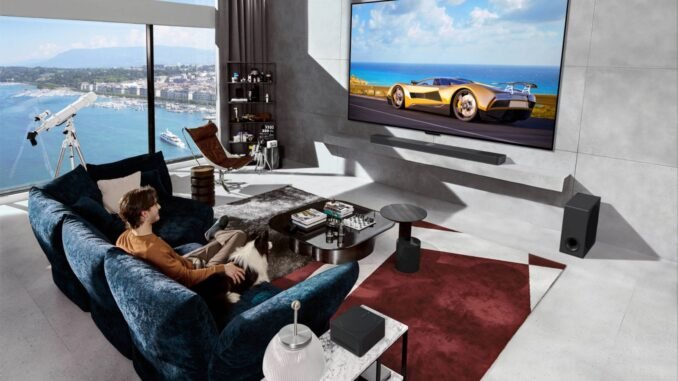
What is the difference between OLED and LCD TV screens? Walk into any Best Buy and the OLED demos look jaw-dropping next to regular TVs, but they also cost twice as much. I have owned both, calibrated both, and watched a lot of movies on both. The technical difference is simple, the buying decision less so. Let us break it down without the showroom hype.
What Is the Difference Between OLED and LCD TV Screens? The Core Technology
- OLED: Every pixel produces its own light and can turn completely off. When the picture calls for black, those pixels go truly, perfectly black. There is no backlight at all.
- LCD (LED TV): A backlight shines through liquid crystal pixels that act as shutters. Even showing “black,” some light leaks through. All those “LED TVs” at the store? They are LCD TVs with LED backlights. The naming is marketing, not technology.
That one difference, self-lit pixels versus a backlight, explains almost everything below.
Picture Quality: Where OLED Wins
- Black levels and contrast: OLED’s perfect blacks create effectively infinite contrast. Night scenes, space movies, and dark dramas look dramatically better. This is OLED’s killer advantage and it is immediately visible.
- Viewing angles: OLED looks perfect from any seat in the room. LCDs wash out and lose contrast when viewed from the side, a real issue in wide living rooms.
- Response time: OLED pixels switch nearly instantly, so sports and gaming look cleaner with less motion blur.
Where LCD Fights Back
- Brightness: High-end LCDs (especially Mini-LED models) get significantly brighter than OLEDs. In a bright living room with lots of windows, a bright LCD often looks better than an OLED fighting glare.
- Price: A 65-inch quality LCD costs $600-$900. The equivalent OLED is $1,400-$1,800. That is a massive gap, and it buys a lot of movie tickets.
- Size options: Want an 85-inch TV without selling a kidney? LCD is your only realistic option. Large OLEDs exist but cost as much as used cars.
- No burn-in risk: LCDs cannot get permanent image retention, period. Leave CNN on all day without a thought.
- Longevity: LCD backlights dim very slowly over many years. OLEDs can gradually lose peak brightness over very long periods, though modern panels last far longer than early ones.
The Burn-In Question, Honestly
OLED burn-in (permanent image retention from static elements like news tickers or game HUDs) was a real concern on early models. In 2026, it is much less of an issue: manufacturers added pixel-shifting, logo-dimming, and screen refresh cycles that run automatically. For varied content (movies, shows, mixed gaming), burn-in is essentially a non-issue. I would only avoid OLED if your use case is extreme: the same news channel 10 hours daily, or the same game HUD for thousands of hours. For everyone else, enjoy without anxiety, but do run the TV’s built-in pixel refresher occasionally as directed.
The Middle Ground: Mini-LED and QLED
Confused by the alphabet soup? Quick decoder:
- QLED (Samsung): Still LCD technology, with quantum dots for better color. Good TVs, but do not let the name suggest it competes with OLED on blacks.
- Mini-LED: LCD with thousands of tiny backlight zones instead of dozens. Much better contrast than regular LCD, much brighter than OLED, no burn-in risk. Models like the TCL QM8 or Hisense U8 ($700-$1,000 for 65″) are the value champions of 2026.
- QD-OLED: Samsung’s premium OLED variant with even better color and brightness. Gorgeous, expensive.
Which Should You Buy?
- Movie lover, dark room: OLED. Nothing else looks like it. The LG C-series (often $1,400 for 65″ on sale) is the sweet spot.
- Bright living room, varied use: Mini-LED LCD. Brighter, cheaper, zero burn-in worry.
- Tight budget: Regular LED/LCD. A $600 TCL or Hisense delivers 80% of the experience for 40% of the OLED price.
- Sports and gaming: Either works; OLED has the motion edge, Mini-LED has the brightness edge for daytime games.
- News-channel-all-day household: LCD, for burn-in peace of mind.
And whatever you buy, turn off motion smoothing (the “soap opera effect”) on day one, and consider the Filmmaker Mode picture preset. These two free changes improve any TV more than most people expect. The Consumer Reports TV ratings are worth checking before buying, they test picture quality rigorously rather than eyeballing showroom demos.
The Bottom Line
OLED versus LCD comes down to self-lit pixels delivering perfect blacks and viewing angles (OLED) versus brighter, cheaper, burn-in-proof panels (LCD). Movie lovers in dark rooms should get OLED; bright-room and budget buyers should get Mini-LED LCD, which in 2026 delivers most of the wow for half the money. Either way, disable motion smoothing and enjoy.
Frequently Asked Questions
How long do OLED TVs last?
Modern OLED panels are rated for 30,000 to 100,000 hours to half-brightness, translating to decades of normal viewing (5 hours daily for 15+ years). Early concerns about short OLED lifespans are outdated. What degrades faster is peak brightness in aggressive showroom-like modes; normal home viewing with varied content keeps panels healthy for very long periods.
Is burn-in covered by TV warranties?
Usually not. Most manufacturer warranties explicitly exclude burn-in as it is considered usage-dependent rather than a defect. Some retailers’ extended warranties (Best Buy’s Geek Squad Protection notably covers burn-in on OLEDs) do include it, which is worth considering if burn-in worries you. LG and Sony have also been known to offer one-time courtesy panel replacements for burn-in in some cases.
What is the best TV for a bright living room?
A bright Mini-LED LCD. Models like the TCL QM8 or Hisense U8 series hit 2,000+ nits of peak brightness, cutting through daylight and lamp glare that would wash out an OLED. Pair with bias lighting behind the TV to reduce eye strain. Save OLED for rooms where you control the lighting; in sun-drenched spaces, brightness wins.
Should I pay for professional TV calibration?
For most buyers, no. Modern TVs’ Filmmaker Mode or Movie/Cinema presets get you 90% of the way there free; just disable motion smoothing and pick the right preset. Professional calibration ($250-$500) makes sense only for dedicated home theaters with high-end displays where you will actually perceive the final 10%. Spend the money on better speakers instead; audio upgrades are more noticeable.
Leave a Reply