
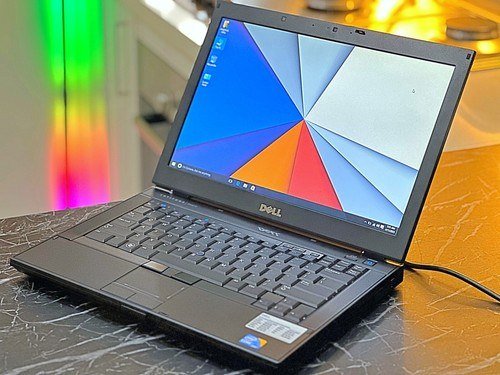
Knowing what should I look for when buying a used laptop can save you hundreds, or cost you hundreds if you get it wrong. I have bought several used laptops over the years, including a ThinkPad that is still going strong after six years, and I have also watched friends buy “great deals” that died in three months. The difference is always the checklist, not luck.
A used laptop in the $250-$450 range often outperforms a new $400 laptop, because you are getting yesterday’s premium machine instead of today’s budget compromise. Here is how to buy smart.
What Should I Look for When Buying a Used Laptop? The Non-Negotiable Specs
- SSD storage, not a spinning hard drive. This is rule number one. A laptop with an old mechanical hard drive will feel painfully slow no matter what else is inside. 256GB SSD minimum; 512GB is the sweet spot.
- 8GB RAM minimum, 16GB preferred. 4GB is unusable in 2026 for anything beyond basic browsing. 8GB handles everyday work; 16GB future-proofs you.
- CPU from the last 5-6 years. Look for Intel 8th-gen or newer (i5-8250U and up) or AMD Ryzen 3000-series and up. Anything older will struggle with modern software and may not support Windows 11.
- Battery holding 80%+ of original capacity. Ask the seller to run a battery report. On Windows: open Command Prompt and type powercfg /batteryreport. On Mac: hold Option and click the Apple menu > System Information > Power, and check cycle count and condition.
- A 1080p (Full HD) screen. Avoid old 1366×768 displays, they look noticeably worse and strain your eyes. This single spec separates pleasant laptops from miserable ones.
The Physical Inspection Checklist
If buying in person, run through this before money changes hands:
- Open and close the lid slowly. Hinges should move smoothly with no cracking sounds or wobble. Loose hinges are expensive to fix.
- Press every key. Open a text editor and type the alphabet, numbers, and test the spacebar and trackpad buttons. One dead key is annoying; a failing keyboard is a $100+ repair.
- Check the screen carefully. Display a pure white image, then pure black (search “dead pixel test” online). Look for dead pixels, discoloration, flickering, and pressure marks.
- Test all ports. Bring a USB drive, plug in headphones, and check the charging port for looseness. A wobbly charging port is a red flag.
- Listen to the fans. Boot it up and run something heavy (a YouTube video at 4K works). Grinding or rattling fans mean bearing wear.
- Check the webcam and speakers. Quick test call or video recording takes 30 seconds and catches dead hardware.
- Verify it is not stolen or locked. On Windows, make sure there is no BIOS password and it is not enrolled in a company’s management system. On Mac, check that Activation Lock is off and it is signed out of the previous owner’s Apple ID. A locked machine is a paperweight.
Where to Buy (Ranked by Safety)
- Manufacturer refurbished (safest): Apple Refurbished, Dell Outlet, Lenovo Outlet. Tested, cleaned, new warranty included. Costs more than Craigslist but the peace of mind is worth it for most buyers.
- Best Buy Open-Box / Amazon Renewed: Return windows and buyer protection. Amazon Renewed includes a 90-day guarantee.
- eBay from high-rated sellers: Buyer protection is strong, but read listings carefully and check seller ratings (99%+ with hundreds of sales).
- Facebook Marketplace / Craigslist (cheapest, riskiest): Great deals exist, but meet in public, test everything from the checklist above, and never pay in advance. Cash or in-person payment only.
Red Flags That Mean “Walk Away”
- Seller refuses to let you test it or boot it up.
- “No returns” on a machine you cannot inspect.
- Price way below market (a $1,200 ThinkPad for $200 is stolen or broken).
- BIOS/firmware password the seller “does not know.”
- Company asset tags or “property of” stickers (may be remotely locked).
- Swollen battery (trackpad bulging up, case not sitting flat), this is actually a fire hazard, do not buy it.
- Missing charger included “as-is” with no way to verify it powers on.
Fair Price Guide (2026)
Ballpark for machines in good condition: business-class laptops (ThinkPad T480/T490, Dell Latitude 5400/7400, HP EliteBook 840 G6/G7) run $250-$400 and are the best used values in existence, built like tanks with great keyboards. MacBook Air M1 used: $450-$600, still an outstanding machine. Consumer laptops (older HP Pavilion, Acer Aspire): $200-$300. If a seller’s price is more than 70% of the equivalent new machine, just buy new.
After You Buy: The Fresh Start
Always do a clean OS reinstall on a used laptop. It wipes any leftover malware, bloatware, or the previous owner’s questionable browsing history. Windows: Settings > Recovery > Reset this PC. Mac: erase and reinstall macOS. Then update everything, install your apps fresh, and enjoy a machine that feels brand new for half the price.
The Bottom Line
When buying a used laptop, prioritize an SSD, 8GB+ RAM, a recent-enough CPU, healthy battery, and a 1080p screen, then inspect hinges, keyboard, screen, and ports in person and verify it is not locked or stolen. Buy refurbished from manufacturers or reputable sellers when possible, walk away from red flags, and always reinstall the OS. Done right, a used laptop is the smartest tech purchase you can make.
Frequently Asked Questions
Is it safe to buy a used laptop from eBay?
Generally yes if you buy from established sellers with 99%+ feedback and hundreds of sales, and you use eBay’s buyer protection by paying through the platform. Read the listing carefully for condition details, check the return policy, and test everything immediately on arrival while the return window is open. Avoid sellers with no history or stock photos instead of actual unit photos.
How old is too old for a used laptop?
For Windows machines, avoid anything that cannot run Windows 11 (roughly pre-2018 CPUs), since Windows 10 support has ended and security updates matter. For Macs, Apple Silicon models (M1 and newer, from late 2020) are the sweet spot; older Intel Macs are losing software support. As a rule, target machines 2 to 4 years old for the best value-to-longevity ratio.
Should I buy a used MacBook or a used Windows laptop?
Used MacBook Air M1 models ($450-$600) are exceptional values: silent, fast, great battery, and years of updates ahead. Used Windows business laptops (ThinkPad, Latitude, EliteBook at $250-$400) offer better repairability, more ports, and easier upgrades. Choose based on your software needs and whether you value Apple’s ecosystem or Windows flexibility more.
What is a fair price for a used ThinkPad?
ThinkPad T480/T490 models in good condition typically run $250 to $350, and T14 Gen 1/2 models run $350 to $500. These are the workhorses of the used market for good reason: great keyboards, durable builds, and easy maintenance. Prices 20% below these ranges warrant skepticism about condition; 20% above means you should negotiate or keep looking. Check Consumer Reports’ laptop ratings for reliability data before buying.
Leave a Reply