
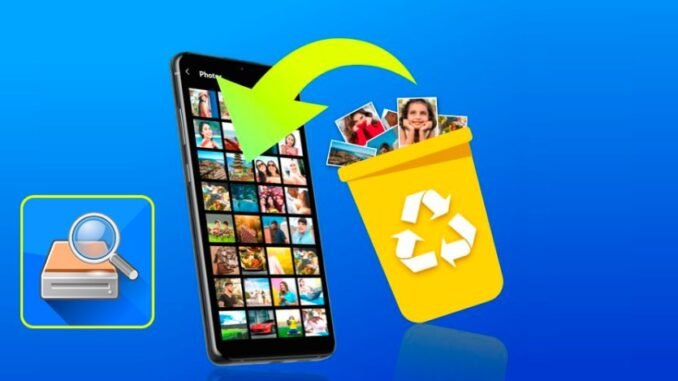
Panicking about how do I recover deleted photos from my phone after an accidental delete is awful, I have been there, staring at an empty album where vacation photos used to be. Take a breath: in most cases, those photos are not actually gone yet. Both iPhone and Android keep deleted photos in a trash folder for 30 days, and cloud backups often hold copies you forgot about. Act quickly, but do not despair.
Work through these methods in order, from easiest to last resort. And the golden rule: stop taking new photos immediately, new data can overwrite the old files you are trying to rescue.
How Do I Recover Deleted Photos From My Phone? Method 1: The Trash Folder (30 Days)
iPhone: Recently Deleted album
- Open Photos > Albums and scroll down to Recently Deleted (under Utilities).
- Tap Select, choose the photos, and tap Recover. They return to your library instantly.
- Note: on iOS 16+, this album requires Face ID to open, which is actually good protection.
Android: Trash in Google Photos
- Open Google Photos > Library > Trash.
- Select photos and tap Restore.
- Samsung Gallery has its own Recycle Bin (Gallery > Menu > Recycle bin), check both places.
Deleted items stay in trash for 30 days (60 days for Google Photos backup users in some cases). If you are within that window, recovery takes about 30 seconds. This solves the vast majority of cases.
Method 2: Check Your Cloud Backups
Even if the trash is empty, copies often survive in the cloud:
- iCloud Photos: Visit iCloud.com > Photos > Recently Deleted. iCloud keeps its own 30-day trash, separate from your phone, so photos deleted from the phone’s trash may still be here. Also check iCloud.com > Account Settings > Data Recovery.
- Google Photos: Check the Trash on the web version (photos.google.com), which sometimes shows items missing from the app.
- Other backups: Dropbox, OneDrive, Amazon Photos (free unlimited photo storage for Prime members, many people set this up and forget), or any carrier cloud backup.
- Old device backups: An iTunes/Finder backup or Google One backup from before the deletion contains the photos. Restoring a full backup is disruptive but works as a last resort for precious photos.
Method 3: Check Everywhere Else Photos Hide
- Shared albums: Photos shared with family via iCloud Shared Albums or Google Photos sharing survive even when your copy is deleted.
- Messaging apps: Photos you sent via iMessage, WhatsApp, or Messenger exist in those chat histories. Save them back to your camera roll.
- Social media: Anything posted to Instagram, Facebook, or uploaded anywhere is recoverable by downloading it again.
- Email: Search your email for attachments you sent to yourself or others.
- Computer imports: If you ever imported photos to a Mac or PC, copies may sit in the Photos app or an old backup folder.
Method 4: Data Recovery Software (Last Resort)
If the photos were never backed up and the trash is empty, recovery software might help on Android, where file systems are more accessible. Tools like DiskDigger (free tier available) can scan for recoverable image fragments. Success rates vary wildly: recently deleted photos on a phone that has not been used much have the best chance. On iPhone, without a backup, recovery is essentially impossible due to encryption, which is great for privacy and terrible in this moment.
Be skeptical of paid “phone recovery” software promising miracles. Many are ineffective, and some are outright scams. Never pay before seeing a preview of recoverable files.
When to Accept Loss and Move On
If there is no backup, the trash is empty, and it has been weeks of heavy phone use since deletion, the data is almost certainly overwritten and unrecoverable. Professional data recovery labs charge $300-$1,000+ with no guarantee, only worth considering for irreplaceable photos (weddings, deceased loved ones). For everything else, the money is better spent setting up the prevention system below.
Never Lose Photos Again: The 5-Minute Prevention Setup
- Turn on automatic cloud backup: iCloud Photos or Google Photos, set to back up over Wi-Fi. This is the single most important setting on your phone.
- Add a second backup: Amazon Photos (free unlimited for Prime members) as a set-and-forget second copy.
- Monthly computer backup: Plug into your computer once a month and import. Offline copies survive account lockouts and subscription lapses.
- Before deleting in bulk: Always check the Recently Deleted album exists as your safety net, and never empty it during a cleanup spree.
- For irreplaceable events (weddings, births, trips), back up the same day. Future you will be grateful.
The Bottom Line
To recover deleted photos from your phone, check the Recently Deleted/Trash folder first (30-day window), then iCloud.com or Google Photos web trash, then shared albums, messages, and old backups. Stop using the phone to avoid overwriting data while you search. And once the crisis passes, turn on automatic cloud backup plus a second copy, because the best photo recovery is the one you never need.
Quick Answers to Common Questions
How long do deleted photos stay recoverable?
In the Recently Deleted or Trash folder: 30 days on iPhone and most Android phones (60 days for Google Photos users with backup enabled in some cases). After the trash empties, recovery depends on whether new data has overwritten the old files, which can happen within days on an actively used phone. Cloud backups preserve copies indefinitely until you delete them there too.
Can phone repair shops recover my deleted photos?
Some data recovery specialists can attempt it, with success rates varying wildly and costs ranging from $100 to $500+. They use the same forensic tools available in recovery software, so their advantage is mainly expertise, not magic. Be wary of shops guaranteeing recovery; no honest technician promises results before examining the device. Exhaust the free methods in this guide first.
Are deleted photos really gone after emptying trash?
The files become marked as free space but the actual data remains until overwritten, which is why recovery software sometimes works. However, modern phones use encryption and TRIM-like storage management that make recovery progressively harder the longer you wait and the more you use the phone. On iPhones especially, treat emptied trash as effectively permanent without a backup.
What is the best automatic backup for photos?
Google Photos (excellent free tier with compressed backups, paid for original quality) or iCloud Photos for iPhone users are the set-and-forget champions. Add Amazon Photos as a free second copy if you have Prime. The best backup is the one running automatically; manual backups fail because humans forget, usually right before they need them. Google’s backup options are detailed in Google Photos Help.
Leave a Reply