
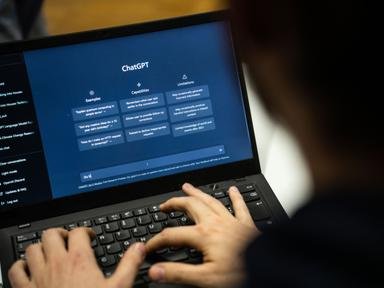
You’ve probably had this experience: you ask ChatGPT something, get a generic, useless answer, and conclude “AI is overhyped.” Then you see someone else get brilliant, specific, actionable output from the same tool and wonder what you’re doing wrong. The difference is almost never the AI — it’s the prompt. Learning how do I write better prompts to get useful AI answers is the single highest-leverage AI skill you can develop, because it improves every interaction with every AI tool you’ll ever use.
Here’s the mental model that makes everything click: AI is like a brilliant intern with no context. It knows a lot, but it doesn’t know your situation, your constraints, or what “good” looks like to you. A bad prompt (“write me a marketing plan”) gives the intern nothing to work with, so you get generic output. A good prompt gives the intern a proper briefing — and the output transforms. Every technique below is just a different way of providing better briefings.
How Do I Write Better Prompts to Get Useful AI Answers? The Core Formula
Most great prompts contain some combination of these five elements:
- Role: Who should the AI be? “Act as an experienced email copywriter…” This primes the response style and knowledge frame.
- Context: Your situation. “I run a 10-person plumbing company in Denver…” The AI can’t use what it doesn’t know.
- Task: Exactly what you want. “Write three follow-up email templates…” Specific beats vague.
- Constraints: Format, length, tone, what to avoid. “Under 150 words each, friendly but professional tone, no jargon.”
- Examples: Show what good looks like. “Here’s an email I liked: [example]. Match this style.”
Compare: “Write a product description” vs. “Act as a direct-response copywriter. I sell handmade soy candles ($24) to women 25–45 who buy self-care products. Write a 100-word product description for our lavender candle emphasizing relaxation and clean ingredients. Warm, sensory tone — no clichés.” The second prompt gets you something usable; the first gets you filler.
Techniques That Level Up Your Results
Be specific about format
AI defaults to generic essay format. Override it: “Give me a table comparing X, Y, Z on price, features, and ease of use” … “Bullet points, no paragraphs” … “Write it as a step-by-step checklist I can print” … “First give me the 3-sentence summary, then the detailed version.” Format instructions are the easiest win in prompting.
Ask for reasoning, not just answers
For complex questions, add “Think through this step by step” or “Explain your reasoning before giving the recommendation.” This significantly improves accuracy on analytical tasks — the AI catches its own errors when forced to show work, just like students do.
Iterate — don’t expect perfection on try one
Treat prompting as a conversation, not a vending machine. First draft too long? “Cut this by half.” Wrong tone? “Make it more casual, like I’m talking to a friend.” Missing something? “Add a section about pricing.” The best AI users rarely accept first outputs — they refine through 2–4 iterations. Each round takes seconds.
Use constraints creatively
Constraints force better output: “Explain this to a smart 12-year-old” (clarity), “Give me the contrarian view” (depth), “What would you cut if this had to fit on one page?” (prioritization), “Rank these by impact and tell me your top 3” (decision support).
Provide examples (few-shot prompting)
The technical term is “few-shot prompting,” but the idea is simple: show, don’t just tell. “Here are two headlines I love: [A], [B]. Write five more in this style for my product.” Examples calibrate the AI to your taste faster than any description.
Ask the AI to ask you questions
When you’re unsure what context matters: “I need help pricing my services. Ask me whatever questions you need to give good advice.” The AI will surface considerations you hadn’t thought of — this is one of the most underused techniques.
Prompts for Common Tasks (Copy-Paste Starters)
- Email: “Draft a [formal/friendly/firm] email to [recipient] about [situation]. Key points to include: [1, 2, 3]. Keep it under 150 words.” (More in our AI email writing guide.)
- Brainstorming: “Give me 15 ideas for [goal]. Mix practical and creative. For each, one sentence on why it might work.”
- Learning: “Explain [concept] simply, then give me 3 examples, then quiz me with 5 questions.”
- Decision-making: “I’m deciding between [A] and [B]. Here are my priorities: [list]. Analyze the tradeoffs and give me your recommendation with reasoning.”
- Summarizing: “Summarize this in 5 bullet points, then list 3 action items: [paste text]” (see summarizing long documents with AI).
Common Prompting Mistakes
- Too vague: “Help me with marketing” → the AI guesses, usually wrong. Specify the task, audience, and format.
- Too long: Dumping 5,000 words of context buries the actual request. Lead with the task, then provide relevant context.
- No iteration: Accepting the first output. The second and third rounds are where quality lives.
- Trusting without verifying: AI states wrong facts confidently. Verify anything factual, especially numbers, dates, and citations.
- One giant prompt: Break complex projects into steps. “First outline, then I’ll approve, then draft section by section” beats “write my entire business plan” every time.
For a deeper dive into prompt craft, NIST’s AI resources include research on effective human-AI interaction patterns. For business applications of these skills, see our guides on free AI tools for small business owners and AI email writing. And if you’re worried about what you’re sharing while prompting, our AI chatbot privacy guide is essential reading.
Quick Answers: Better AI Prompts
What’s the single biggest prompting mistake?
Being vague and hoping the AI reads your mind. “Write about marketing” gets generic filler; “Write a 150-word Instagram caption for a handmade candle shop’s fall launch, playful tone, include 5 hashtags” gets something usable. Specificity is the entire skill — context, format, audience, constraints.
The bottom line: better prompts = role + context + specific task + constraints + examples, refined through iteration. It’s a 10-minute skill to learn and a lifetime of better AI output. The people getting amazing results from AI aren’t using better AI — they’re just briefing it better.
Leave a Reply