
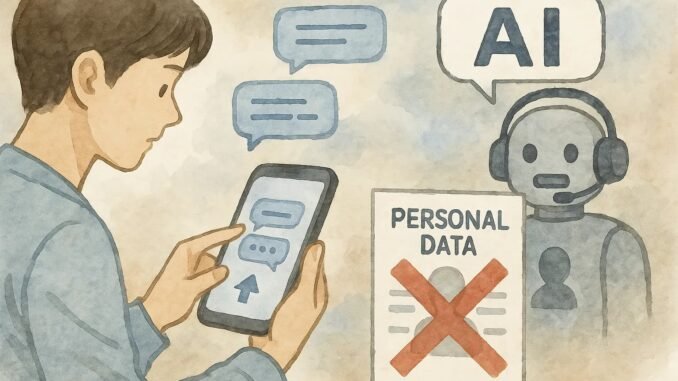
You paste your symptoms into a chatbot. You ask it to review a contract with your name and address on it. You vent about a work situation with enough detail that anyone could identify the company. It feels private — it’s just you and a text box, after all. But if you’re asking is it safe to share personal information with AI chatbots, you deserve a straight answer: it’s riskier than it feels, and most people share far more than they should. Let me explain what’s actually happening to your data and how to use these tools without exposing yourself.
I’m not going to tell you to stop using AI chatbots — they’re genuinely useful, and I use them daily. But there’s a massive gap between how private these conversations feel and how private they are. Closing that gap is what this article is about.
Is It Safe to Share Personal Information With AI Chatbots? What Happens to Your Data
When you type into ChatGPT, Claude, Gemini, or similar tools, here’s the uncomfortable reality of the default setup:
- Your conversations are stored. Every major AI company retains chat histories on their servers. You can usually see them in your sidebar — which means they’re sitting in a database somewhere.
- Your data may train future models. By default, most free tiers use your conversations to improve their models. That means human reviewers — actual employees and contractors — may read your chats as part of quality control. In 2023, it emerged that contractors were reviewing sensitive user conversations across the industry.
- Data breaches are possible. In 2023, a ChatGPT bug briefly exposed some users’ chat titles and payment info to others. Any centralized database of millions of personal conversations is a high-value target.
- Legal requests happen. Stored data can be subpoenaed. What’s in your chat history could theoretically surface in legal proceedings.
- Free means you’re the product (partly). Free tiers subsidize their cost through data collection and eventual conversion to paid plans. Paid tiers generally offer stronger privacy terms — but “stronger” doesn’t mean “absolute.”
This isn’t fear-mongering — it’s the stated policy of most providers, written in their privacy policies. The FTC has been increasingly scrutinizing AI companies’ data practices, which tells you regulators take this seriously too.
What’s Safe vs. What’s Risky
Generally fine to share
- General knowledge questions (“how does a mortgage work?”)
- Writing help with non-sensitive content
- Hypothetical scenarios (“what would a character do if…”)
- Publicly available information you want summarized or explained
- Creative projects with no personal identifiers
Think twice before sharing
- Your full name, address, phone number, or date of birth combined with other details
- Financial specifics: account numbers, income details, investment holdings
- Health information: symptoms tied to your identity, diagnoses, medications, mental health struggles
- Work product with proprietary company information, unreleased plans, or client data
- Legal documents with names, addresses, or case details
- Children’s personal information — always
- Passwords, API keys, or credentials (yes, people do this)
- Photos of IDs, documents, or anything with personal identifiers
How to Protect Yourself (Practical Steps)
- Turn off training data usage. ChatGPT: Settings → Data Controls → turn off “Improve the model for everyone.” Claude and others have similar opt-outs. Do this first, on every AI tool you use. Note: this doesn’t delete already-stored conversations.
- Anonymize before you paste. Need contract advice? Replace names with “[Party A]” and remove addresses. Want health information? Describe symptoms without identifying yourself. This one habit eliminates most risk — the AI doesn’t need to know it’s you to answer well.
- Use temporary or anonymous chats. ChatGPT offers temporary chats that aren’t saved to history. Use these for anything even slightly sensitive.
- Delete sensitive conversations. Regularly clear chats containing personal details. Deletion isn’t instant across all backups, but it reduces exposure.
- Read the privacy policy (the short version). At minimum, check: Do they train on my data by default? Can I opt out? How long do they retain data? This takes five minutes per tool. The Electronic Frontier Foundation publishes plain-English explainers on AI privacy worth reading.
- Prefer paid tiers for sensitive work. ChatGPT Plus, Claude Pro, and similar paid plans typically exclude your data from training by default and offer stronger data handling commitments. If you use AI for business, the $20/month is cheap insurance.
- Check your employer’s policy. Many companies now restrict or ban AI tools for work data after high-profile leaks (Samsung famously had engineers paste proprietary code into ChatGPT). Know your workplace rules.
Special Cases Worth Knowing
- Health questions: AI chatbots are not doctors and shouldn’t replace them, but people use them for health questions constantly. If you do, keep it anonymous and general — and verify anything important with a real professional. Our health section covers topics like lowering blood pressure with properly sourced information.
- Kids and AI: Talk to your children about not sharing their name, school, address, or photos with chatbots. Our guide on talking to kids about using AI responsibly covers this in depth.
- Workplace data: Assume anything you paste could be seen by the AI company. For business use, consider enterprise versions (ChatGPT Team/Enterprise, Claude for Work) with contractual data protections.
For related AI safety topics, see our guides on privacy concerns with AI voice assistants and spotting AI-generated photos and videos.
Quick Answers: AI Chatbot Privacy
What’s the one thing I should never share with AI?
Anything that identifies you combined with something sensitive: your full name plus health details, financial account numbers, or your child’s information. Individually these seem harmless; combined they’re identity-theft ingredients. When in doubt, anonymize before you ask.
The bottom line: AI chatbots are not private diaries — your conversations are stored, may be reviewed by humans, and could be used for training. That doesn’t mean avoiding them; it means using them smartly: opt out of training, anonymize sensitive details, use temporary chats for personal topics, and never paste anything you wouldn’t want on a billboard with your name on it. A 30-second anonymization habit gives you 95% of the benefit with a fraction of the risk.
Leave a Reply