
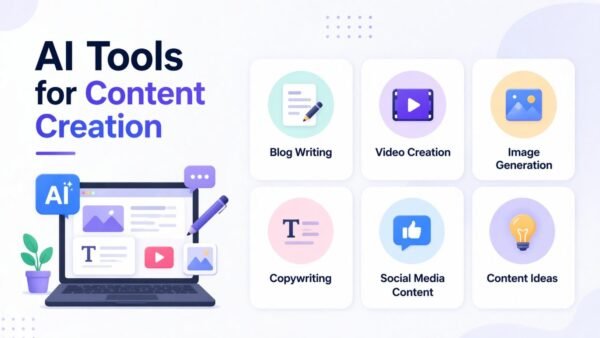
You’re a one-person content operation: writing, filming, editing, designing thumbnails, posting everywhere, engaging with comments — and wondering how the big creators do it all. increasingly, the answer is AI. Not as a replacement for creativity, but as the unpaid intern handling the tedious 60% so you can focus on the creative 40%. If you’re asking what are the best AI tools for content creators on a budget, here’s the toolkit that gives solo creators superpowers without the enterprise price tag.
My filter for this list was strict: genuinely useful free or cheap tiers, practical for solo creators (not agencies), and covering the full content pipeline — ideation, creation, editing, and distribution. Let’s walk the pipeline.
What Are the Best AI Tools for Content Creators on a Budget? Ideation and Writing
ChatGPT / Claude (free tiers)
Your brainstorming partner, script outline writer, title generator, and hook improver. Use cases that actually matter:
- Titles and hooks: “Give me 20 YouTube titles for a video about meal prepping on $50/week. Make them curiosity-driven, under 60 characters.” Then pick and refine — never publish raw.
- Script outlines: Feed it your rough idea, get a structured outline with beats. You fill in the personality.
- Repurposing: “Turn this video transcript into a Twitter thread, a LinkedIn post, and a newsletter section.” One piece of content becomes five.
- SEO descriptions: Video descriptions, blog meta text, alt text — the unglamorous stuff that drives discovery.
Our guide on writing better prompts will multiply what you get from these.
Video Creation and Editing
- CapCut (free): The best free video editor, period — with AI auto-captions (essential: most social video is watched muted), background removal, auto-reframe for different platforms, and templates. If you make short-form video, start here.
- Descript (free tier): Edit video by editing text — delete a sentence from the transcript and it’s cut from the video. AI removes filler words (“um,” “uh”) automatically, generates voiceovers, and creates clips. Revolutionary for talking-head and podcast creators.
- Opus Clip / Vizard (free tiers): Upload a long video, get AI-selected short clips formatted for TikTok/Reels/Shorts with captions. Turns one long video into a week of short-form content automatically.
- Runway (limited free): AI video effects, background replacement, and text-to-video generation for b-roll and creative sequences.
Images, Thumbnails, and Design
- Microsoft Image Creator (free): DALL-E 3 powered, free, great for blog headers and social graphics. Our full comparison: best free AI image generators.
- Canva Magic Studio (free tier): Thumbnails, social graphics, and presentations with AI background removal and generation built in. Most creators live here already.
- Leonardo.ai (free daily credits): Higher-quality stylized images — great for distinctive thumbnails and channel art.
Thumbnail tip: AI generates the background/concept; you add the bold text and your face in Canva. That hybrid approach outperforms pure-AI thumbnails consistently. And check the U.S. Copyright Office’s AI guidance before building a business on AI-generated visuals — the rules around ownership are still evolving.
Audio and Voice
- ElevenLabs (free tier): Scarily good AI voiceovers — useful for faceless channels, video narration, and podcast intros. The free tier gives enough characters for regular short content.
- Adobe Podcast Enhance (free): Upload noisy phone-recorded audio, get studio-quality sound back. This single free tool has upgraded thousands of podcasts recorded in bedrooms.
- AIVA / Soundraw (free tiers): AI-generated background music, royalty-free. Solves the “I need music but copyright strikes terrify me” problem.
Distribution and Growth
- Buffer / Metricool (free tiers): AI-assisted scheduling and optimal posting times across platforms. Consistency is the algorithm’s love language; these tools make it effortless.
- VidIQ / TubeBuddy (free tiers): AI title, tag, and thumbnail suggestions for YouTube, plus competitor analysis. The free tiers provide genuinely useful keyword data.
The Workflow That Ties It Together
Here’s how a solo creator might use these in a week:
- Monday: Brainstorm 4 video ideas with ChatGPT; outline the week’s main video.
- Tuesday: Film the main video. Generate thumbnail concept with Leonardo, finalize in Canva.
- Wednesday: Edit in CapCut (auto-captions on). Run through Opus Clip for 5 short-form clips.
- Thursday: Use ChatGPT to repurpose the transcript into a newsletter + 3 social posts. Schedule everything in Buffer.
- Friday: Engage with comments (the human part — don’t automate this), review analytics, plan next week.
Total AI tool cost: $0–$30/month. Total time saved vs. doing it all manually: 10–15 hours a week.
Budgeting Your Tool Stack
With so many free tiers, it’s tempting to stack subscriptions as you grow — resist until the ROI is obvious. A sensible progression: start 100% free and track hours saved monthly. Upgrade the single tool that saves you the most time first (usually Descript or an AI video tool for video creators, or a writing assistant’s paid tier for bloggers). Cap your stack at $30–$50/month until revenue justifies more. And audit quarterly — cancel anything you haven’t opened in 30 days. The creators who win on budget aren’t the ones with the most tools; they’re the ones who squeezed maximum value from three or four.
The Rules for Staying Authentic
- AI handles production, you handle perspective. Your opinions, experiences, and personality are the product. AI is the packaging department.
- Disclose AI use where it matters. AI voiceover on a faceless channel? Fine, and increasingly normal. AI-generated “personal story” presented as real? That’s deception.
- Don’t automate engagement. AI replies to comments feel hollow and audiences detect them. The community relationship is yours to maintain.
- Quality over quantity, still. AI makes it tempting to flood platforms with content. The algorithm rewards watch time and engagement, not volume. Three great videos beat thirty mediocre ones.
For related skills, see our guides on AI photo editing and AI content and Google search — the latter matters if your content strategy includes blogging.
The bottom line: a solo creator’s AI stack — ChatGPT/Claude for ideation, CapCut + Descript for video, Canva + Leonardo for visuals, ElevenLabs + Adobe Enhance for audio — costs $0–$30/month and replaces thousands in services and hours of tedium. Use AI for the production pipeline, keep your voice and judgment firmly human, and you’ll outproduce creators working twice as hard the old way.
Leave a Reply