
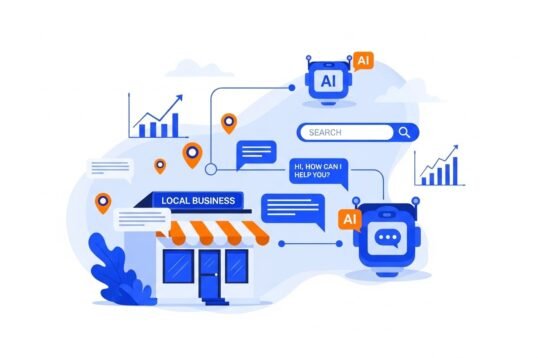
It’s 11pm, a customer has a question about your return policy, and you’re asleep. By morning, they’ve bought from a competitor. This scenario plays out thousands of times a night for small businesses — not because owners don’t care, but because a 5-person company can’t staff 24/7 support. That’s exactly the problem AI solves. If you’re asking how can small businesses use AI for customer support, the good news is that enterprise-grade support automation is now available at small-business prices — often free to start. Here’s the practical playbook.
Let me clear up the biggest misconception first: using AI for customer support doesn’t mean replacing the human touch that makes small businesses special. It means automating the repetitive 70% — order status, hours, return policies, FAQs — so you and your team can pour your human energy into the 30% that actually builds loyalty: the upset customer, the complex problem, the moment that turns someone into a lifelong fan.
How Can Small Businesses Use AI for Customer Support? The Core Use Cases
1. AI chatbots on your website
This is the highest-impact starting point. A chatbot trained on your FAQs, policies, and product info can instantly answer the questions you get asked 50 times a week:
- “What are your hours?” / “Where are you located?”
- “What’s your return policy?”
- “Do you ship to [state]?” / “How long does delivery take?”
- “Is [product] in stock?”
- Order tracking and status updates
Tools to try: Tidio (free tier is genuinely useful), Intercom (starts ~$29/month, more powerful), or HubSpot’s free chat tools. Most can be trained by simply pointing them at your website or pasting your FAQ — no coding required. Set them to hand off to you (via email or SMS notification) whenever they’re unsure. The goal is instant answers for routine stuff, human help for everything else.
2. AI-assisted email and message responses
You don’t need a full chatbot to get value. AI drafting tools can:
- Draft replies to common emails — you review, personalize, and send. Cuts response time from 10 minutes to 2.
- Summarize long complaint threads so you grasp the situation in seconds.
- Suggest tone adjustments — softening a defensive draft before it goes to an already-frustrated customer.
- Auto-categorize and prioritize incoming messages so urgent issues surface first.
Our guide on using AI to write emails faster covers these techniques in detail.
3. Self-service that actually works
The best support interaction is the one that never needs to happen. AI improves self-service dramatically:
- Smarter help centers: AI-powered search that understands “my package never came” and surfaces your shipping policy — instead of requiring exact keyword matches.
- Proactive notifications: Automatic order confirmations, shipping updates, delay alerts, and appointment reminders. Every proactive message prevents a “where’s my order?” contact.
- AI order tracking pages that answer “where is my stuff?” without anyone asking you.
4. Voice AI for phone calls
This one’s newer but moving fast: AI phone agents that answer calls, handle common requests (hours, directions, appointment booking, order status), and transfer complex calls to you. Tools like Bland AI and others now offer this at small-business-friendly pricing. For businesses that get a lot of routine calls — salons, restaurants, service companies — this is transformative.
5. Review and feedback management
AI can draft thoughtful responses to Google and Yelp reviews (you personalize and post), analyze review sentiment to spot recurring issues, and alert you to negative reviews instantly so you can respond fast. Speed of response to negative reviews strongly correlates with customers updating their ratings.
Setting It Up Without the Headaches
- Start with your top 10 questions. Look at your inbox — what do people ask repeatedly? Write clear, complete answers. This content trains your chatbot and improves your FAQ page simultaneously.
- Pick ONE channel first. Website chat is usually the best start. Get it working well before adding email automation or voice.
- Always offer a human escape hatch. “Talk to a human” should be one click away, always. Nothing destroys goodwill faster than a chatbot loop with no exit. This is non-negotiable.
- Set expectations honestly. Don’t pretend the bot is human. “Hi! I’m the [Business] assistant — I can help with common questions, or connect you with our team.” Honesty builds trust; deception destroys it when discovered.
- Review conversations weekly. Read what the bot handled and where it failed. Every failure is training data — add the missing answer and the bot gets smarter. This 20-minute weekly habit is what separates good implementations from embarrassing ones.
- Measure what matters: resolution rate (questions answered without human help), response time, and customer satisfaction. If the bot resolves 60%+ of routine questions with high satisfaction, it’s earning its keep.
What It Costs (Less Than You Think)
- $0: Tidio free tier, HubSpot free chat, ChatGPT for drafting — covers the basics for very small businesses.
- $20–$50/month: Solid chatbot with decent automation, AI email assistance — the sweet spot for most small businesses.
- $50–$150/month: Multi-channel AI support with voice, advanced automation, CRM integration — for businesses with real support volume.
Compare that to hiring even a part-time support person ($1,500+/month), and the ROI math is obvious. The SBA’s resources on customer-facing technology offer additional context for small businesses evaluating these investments. But remember: AI handles volume, humans handle relationships. The winning formula is both.
Mistakes to Avoid
- Launching without training data. A chatbot with 5 FAQs is worse than no chatbot — it frustrates people. Feed it comprehensive, accurate information first.
- No human fallback. Worth repeating: always provide an escape route.
- Setting and forgetting. An untended chatbot degrades as your business changes (new products, new policies). That weekly review is essential.
- Over-automating sensitive situations. Complaints, billing disputes, emotional situations — route these to humans immediately. AI triage, human resolution.
- Ignoring privacy. Don’t feed customer personal data into AI tools indiscriminately. See our guide on AI chatbot privacy.
For the bigger picture on AI’s impact on service work, see our analysis of whether AI will replace customer service jobs, and for more tools, the best free AI tools for small business owners.
The bottom line: start with a chatbot trained on your top 10 questions, always provide a human escape hatch, review conversations weekly, and expand gradually. Done right, AI customer support means no customer ever waits until morning for a simple answer again — and your team spends their human hours on the interactions that actually create loyalty.
Leave a Reply