
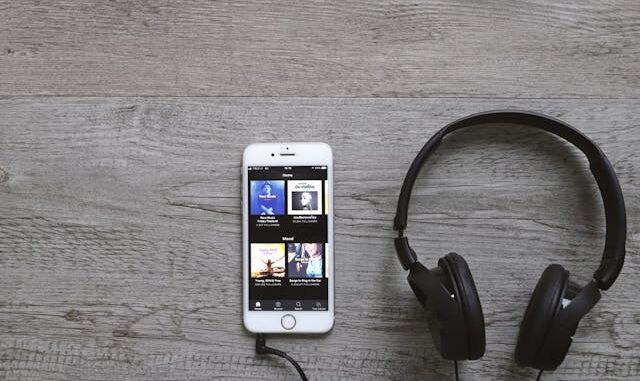
Music streaming used to mean paying $11/month or pirating — now the free tiers are so good that millions of people never pay a cent. If you’re asking what are the best free apps for streaming music, the answer depends on what you value: the biggest library, the least ads, or the smartest discovery.
I’ve tested every major free tier extensively (my wallet thanks me), and the landscape in 2026 is genuinely generous. Here’s how the free options stack up and which one fits your listening style.
What are the best free apps for streaming music: The Short Answer
The best free music streaming apps: Spotify Free (huge library, shuffle-only on mobile, ads), YouTube Music Free (massive catalog including rarities, background-play limits), Pandora Free (best radio-style discovery, skips limited), Amazon Music Free (decent for Prime members, ad-supported), and iHeartRadio Free (great for live radio + podcasts). For the fewest restrictions, YouTube Music on desktop or Spotify on desktop (on-demand play) lead the pack.
Why This Matters More Than You Think
Free tiers exist as funnels to paid subscriptions, so each one is strategically limited where it hurts most: mobile on-demand play, offline downloads, and ad frequency. PCMag’s music streaming comparisons Understanding the business model explains the quirks — Spotify restricts mobile to shuffle because labels charge more for on-demand mobile streams. The trick is matching the limitations to your habits: desktop listeners get near-premium experiences free, while mobile-first listeners face the most friction.
6 Tips That Actually Work
Spotify Free: the library king
80+ million tracks, best-in-class playlists (Discover Weekly alone is worth it), and podcasts built in. The catch: mobile is shuffle-only with 6 skips per hour, and ads interrupt every ~30 minutes. The workaround: use Spotify on desktop/laptop, where free users get full on-demand play — it’s genuinely close to Premium for desk listeners.
YouTube Music Free: the deep catalog
Anything ever uploaded to YouTube — live versions, covers, rarities, remixes that exist nowhere else. On desktop, it’s nearly unlimited. On mobile, no background play (the screen must stay on) unless you pay. Best for: music nerds, live-recording hunters, and anyone who watches as much as listens.
Pandora Free: the discovery engine
Pandora’s Music Genome Project still powers the smartest radio-style stations — seed with an artist and get eerily good recommendations. Limited skips (like 6 per hour per station) and ads, but unlimited station creation. Best for: hands-off listening at work, discovering new artists in genres you like.
Amazon Music Free: the Prime-adjacent pick
A curated subset (not the full 100M catalog) with ads, but solid playlists and stations. If you’re already in the Alexa ecosystem, voice control is seamless. It’s the ‘good enough and already there’ option rather than a destination — fine for casual listening, not for music obsessives.
iHeartRadio Free: radio + podcasts
Live AM/FM stations from across the country plus custom artist stations and a huge podcast library. The only free app that replicates actual radio — local DJs, news, sports talk. Best for: radio lovers, podcast listeners who want one app, and anyone who misses the human curation of broadcast.
Maximize any free tier
Download over Wi-Fi where allowed, build playlists on desktop (fewer restrictions), use an ad-blocker on desktop browsers for YouTube Music, and stack free trials strategically — most services offer 1–3 months of Premium free, which you can rotate. Just set calendar reminders to cancel.
My Favorite Tools and Brands
For independent reviews and current availability before you spend any money, Billboard’s streaming industry coverage is a solid reference.
- Spotify (free tier) — Best playlists and discovery; use on desktop for on-demand play.
- YouTube Music (free tier) — Unmatched catalog depth including live and rare recordings.
- Pandora (free tier) — Smartest radio-style discovery for hands-off listening.
- A good pair of earbuds — ~$25+ — Free music still deserves decent sound; even budget buds beat phone speakers.
Common Mistakes to Avoid
- Paying for Premium out of habit. Audit your actual usage: if you’re a desktop listener, free tiers may cover 95% of your needs. Pay only for the specific friction that bothers you.
- Ignoring YouTube Music’s catalog. Live versions, B-sides, and regional music live on YouTube Music and nowhere else. It’s a goldmine most people overlook.
- Streaming on cellular data. An hour of streaming uses ~150MB. Download playlists on Wi-Fi (where the tier allows) or you’ll burn through data plans.
- Sticking with one app forever. Catalogs and features shift yearly. Re-evaluate annually — the best free option changes as companies adjust their funnels.
Frequently Asked Questions
Is Spotify Free actually free?
Yes — ad-supported, no credit card required, unlimited time. Limitations: shuffle-only on mobile, no offline downloads, ads every ~30 minutes. Desktop users get on-demand play, making it remarkably capable.
What’s the best free music app for iPhone?
Spotify Free (best overall experience) or YouTube Music (biggest catalog). Pandora if you prefer radio-style. All three are fully functional free on iOS with the standard limitations.
Can I listen offline for free?
Generally no — offline downloads are the flagship Premium feature across all services. Exception: YouTube Music lets Premium trial users download; otherwise, it’s the main reason to pay. Podcasts, however, often download free everywhere.
The Paid Tier Question
When is Premium actually worth it? My test: if you hit a free-tier limitation more than three times a week, pay for the fix. Mobile shuffle-only driving you crazy on commutes? That’s worth $11. Offline downloads for flights and dead zones? Worth it. But if you’re a desktop listener who’s happy shuffling, keep the $132 a year — that’s a concert ticket and a vinyl record. Audit annually; needs change, and so do the tiers.
Spotify Free for playlists, YouTube Music for catalog depth, Pandora for discovery — the free tiers are genuinely good if you match the app to your habits. Your ears (and wallet) win either way. For more ways to enjoy your downtime, check out make a small backyard feel like a party venue, shows to watch with teenagers as a family, and make my living room feel like a home theater.
Leave a Reply