
Deciding what is the best accounting software for a small business is one of those decisions that quietly affects everything: tax time stress, cash flow visibility, and whether you actually know if you are profitable. I have used most of the major options across different businesses, and the honest answer is that the “best” depends on your size, complexity, and budget. But there are clear winners in each category.
What Is the Best Accounting Software for a Small Business? Top Picks
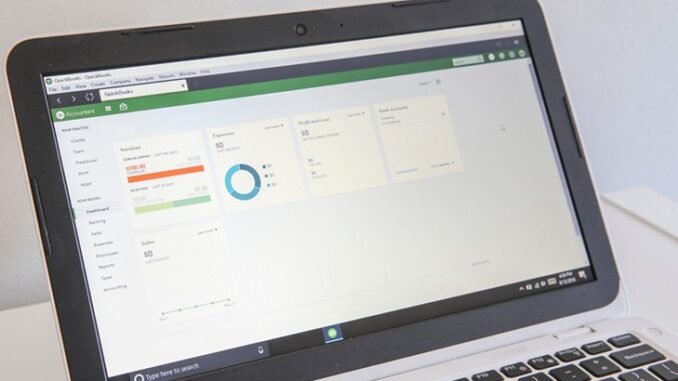
- Best overall: QuickBooks Online — from $30/month. The industry standard for a reason: every accountant knows it, it handles invoicing, expenses, payroll integration, and reporting comprehensively, and its app ecosystem is unmatched. If you plan to hire a bookkeeper or CPA, they almost certainly prefer QuickBooks. Downsides: price creeps up with add-ons, and the interface can overwhelm beginners.
- Best for growing businesses: Xero — from $15/month. Cleaner interface than QuickBooks, excellent multi-currency support, unlimited users on all plans (great when your accountant needs access). Particularly strong for businesses with inventory or international clients. Slightly smaller US accountant network than QuickBooks.
- Best free option: Wave — $0. Genuinely free accounting, invoicing, and receipt scanning. Perfect for freelancers and very small businesses. Makes money on payment processing (2.9% + $0.60), which is competitive anyway. Limitations: no inventory tracking, fewer integrations, US/Canada focused.
- Best for service businesses: FreshBooks — from $10.10/month. The easiest invoicing in the business, time tracking built in, and client-friendly payment pages. Ideal for freelancers, agencies, and consultants who live on invoices. Less robust for product businesses with inventory.
- Best for solopreneurs: QuickBooks Self-Employed — from $15/month. Simplified for freelancers: mileage tracking, quarterly tax estimates, Schedule C categorization. Migrates easily to full QuickBooks when you grow.
What Features Actually Matter
- Bank connections that work. Automatic transaction import is the difference between bookkeeping taking 20 minutes a week and 3 hours. All the picks above do this well.
- Invoicing and payment acceptance. Professional invoices with one-click payment links get you paid faster. Overdue invoice reminders alone justify the software cost.
- Expense tracking. Snap-a-photo receipt capture (all offer mobile apps) means no more shoeboxes.
- Tax-ready reports. Profit & loss, balance sheet, and tax-category summaries your CPA can use directly. This is where free spreadsheets fall apart at tax time.
- Payroll integration if you have employees. Native or well-integrated payroll saves enormous hassle.
- Your accountant’s preference. Seriously. Ask your CPA what they use before choosing. Sending them files in their preferred format saves billable hours.
When Free Software Is Enough (and When It Is Not)
- Wave (free) is enough when: You are a freelancer or tiny business, no inventory, no employees, simple taxes. Thousands of businesses run happily on Wave for years.
- Upgrade to paid when: You hire employees (payroll), carry inventory, need multi-currency, want deeper reporting, or your CPA begs you to. The $15-$30/month pays for itself in time saved and deductions found.
- Spreadsheets are not enough when: Tax time arrives and you cannot produce clean P&L statements, or you have ever wondered “am I actually profitable?” and could not answer. That uncertainty costs more than software.
Migration and Setup Tips
- Start at a clean boundary: January 1st or the start of a quarter. Migrating mid-year with partial records is painful.
- Connect bank accounts and credit cards first, then categorize 2-3 months of history to train the system.
- Set up your chart of accounts simply. Fewer categories, consistently applied, beats elaborate taxonomies nobody maintains.
- Reconcile monthly. Fifteen minutes monthly prevents a nightmare in April. Put it on the calendar.
- Use the mobile app for receipt capture at point of purchase. Future you will be grateful.
The Bottom Line
The best accounting software for small business in 2026 is QuickBooks Online for most established businesses (accountant compatibility is king), Xero for growing/international businesses, Wave free for freelancers and micro-businesses, and FreshBooks for invoice-heavy service businesses. Pick one, connect your banks, reconcile monthly, and ask your CPA’s preference before committing. Clean books are not just about taxes; they are how you know your business is actually working.
Frequently Asked Questions
Is QuickBooks worth it for a tiny business?
For freelancers and micro-businesses, Wave’s free accounting often suffices; QuickBooks’ $30+/month is hard to justify under $50,000 in revenue unless your CPA insists. The value equation flips with employees, inventory, or complexity, where QuickBooks’ depth earns its price. Start free with Wave, migrate when growth demands it; both export cleanly. The IRS Small Business Tax Center explains deductible software costs.
Can accounting software do my taxes for me?
It prepares everything your tax preparer needs and handles simple returns’ organization, but it does not replace tax strategy. Software categorizes and reports; humans (you or a CPA) make elections, spot opportunities, and handle complexity. Think of it as giving your CPA clean books instead of a shoebox: the return gets better and cheaper, but expertise still matters at higher incomes.
How hard is it to switch accounting software later?
Moderately annoying but very doable. All major platforms export standard formats (CSV, QBO), and most offer import tools or assisted migration. The cleanest switch happens at year or quarter boundaries. The bigger cost is learning new workflows, not data transfer. Do not let migration fear trap you in wrong software; a weekend of setup beats years of friction.
Do I need accounting software if I have a bookkeeper?
FAQs
Can I just use a spreadsheet instead of accounting software?
You can for a very simple business, but most owners outgrow spreadsheets fast. The moment you have recurring invoices, sales tax in multiple states, or need to hand clean books to an accountant at tax time, dedicated software pays for itself. Spreadsheets also make mistakes easy — one wrong formula and your books are off for months. Accounting software automates the repetitive parts and keeps an audit trail, which your accountant will thank you for.
How much should a small business expect to pay?
Most cloud accounting plans run $20–$40 per month for a single-user small business setup, with higher tiers adding payroll, inventory, and multi-user access. That’s genuinely good value compared to the alternative: an accountant billing $150+ an hour to untangle a year’s worth of messy records. Some free options exist for the simplest businesses, but the paid plans earn their keep quickly once you’re invoicing clients regularly.
Do I still need an accountant if I have the software?
Yes — the software handles bookkeeping, but an accountant handles judgment. Tax strategy, entity structure, estimated payments, and year-end planning are all areas where professional advice saves real money. Think of it this way: the software keeps your records clean so your accountant spends their expensive hours on advice instead of cleanup. Most small businesses do well with software for daily bookkeeping plus an accountant check-in quarterly or at year-end.
What’s the hardest part of switching accounting software?
Migrating your historical data and learning the new workflow. Most platforms offer import tools for customers, invoices, and transactions, but expect some cleanup — categories won’t map perfectly. The bigger challenge is habit: your old process lived partly in your head. Give yourself two or three weeks of overlap where you run both systems, and don’t cancel the old one until you’ve completed a full billing cycle on the new platform.
Yes, more so. Your bookkeeper works inside the software; without it, you are paying them to do manual work at hourly rates. Cloud accounting lets you and your bookkeeper collaborate in real time, gives you live visibility into your numbers, and makes switching bookkeepers painless. Software plus bookkeeper is the professional standard, not an either-or choice.
Leave a Reply