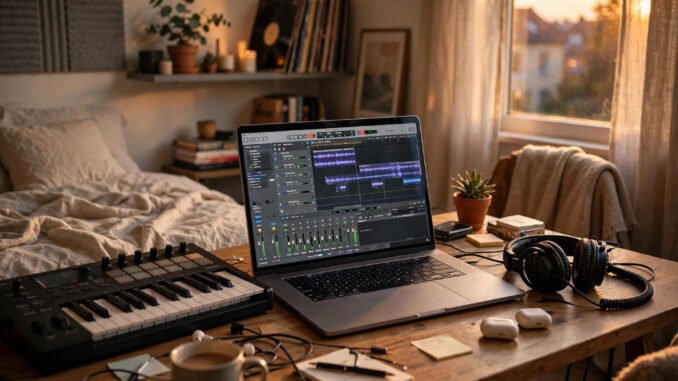
The studio is already in your bag. That sounds like a slogan, but for music production in 2026 it is close to a plain fact. The laptop you use for email, classes, and streaming video can record, arrange, and mix full songs. The software to run that studio can cost nothing at all. What most beginners in Portland actually need is a short shopping list, a clear head about one piece of outdated advice, and a plan for the first ninety days.
The Starter Checklist, Up Front
Keep this list short on purpose. Five boxes cover a complete beginner setup, and only one of them needs money right away.
Box one: the laptop you already own. No new computer, no special production model, nothing to order before you start.
Box two: a recording program, called a DAW, that costs either nothing or a single $60 licence. The honest options are covered in detail below, including one famous free program you should no longer download as your main tool.
Box three: one pair of honest headphones, around $100. This is the purchase that shapes every mixing decision you make.
Box four: a small MIDI controller, later and only if you want one. Fingers on pads and keys help some people and do nothing for others. It is not a starter requirement.
Box five: an external drive, later, when sample libraries and project backups start to crowd your main drive.
The total reads like this. You can genuinely start for $0, using the laptop and software you already have access to and any headphones or earbuds in a drawer. The comfortable version, with proper headphones and a paid licence if you choose one, lands roughly between $100 and $200. Anything beyond that is an upgrade to earn, not an entry fee.
The Laptop: Lighter Work Than You Expect
Production feels heavy from the outside, yet the daily load is modest. Recording a few audio tracks, layering built-in instruments, and adding common effects asks far less of a computer than modern games or video editing. A machine around five years old with 8GB of memory can handle dozens of tracks for typical beginner and intermediate projects without drama.
More memory helps in one clear case. Large sampled instruments, where every note is a recorded audio file loaded into memory, eat space fast. If you lean on big orchestral or drum libraries, 16GB makes life smoother. Notice the order, though. Start with what you have, finish songs, and upgrade only when a real limit shows up in a real project. A slow render once in a while is a nuisance. Money spent on a computer you did not need is gone.
Two small habits stretch an older laptop a long way. Keep some free space on the system drive so the machine can breathe. Close the browser tabs and heavy apps you are not using while you record. Neither habit costs a cent, and together they prevent most of the stutter and crackle beginners blame on the laptop itself.
The DAW, With One Correction That Matters
Your central program handles recording, editing, arranging, and mixing in one place. If the term itself is new, a short explainer on what a digital audio workstation is will give you the working picture: tracks stacked in time, each one holding audio or instrument notes you can cut, move, and shape.
Now the correction, because older advice across the internet still gets this wrong. Cakewalk by BandLab was retired in 2025. It stopped operating in August 2025, and it should not be recommended or installed as a current free option. Projects and habits built on retired software become a dead end, so skip it as a starting point even if a forum post or an old video praises it. The history and shutdown are set out in the entry on Cakewalk by BandLab and its retirement, and the plain takeaway is simple: that chapter has closed.
The living successor from the same line is Cakewalk Sonar, which offers a free tier for Windows users. Some extras sit behind a BandLab Membership, so check what the free tier includes before you count on a specific add-on. As background, the Sonar line was once flagship paid software sold at full professional prices, which is why its free tier feels unusually complete next to typical starter tools.
Mac owners already hold a strong free option. GarageBand comes pre-installed, costs nothing, and includes capable built-in instruments and a friendly layout that hides complexity until you ask for it. Plenty of finished songs start there. If you later outgrow it, Logic Pro, at around $200, is its natural upgrade path and opens projects from GarageBand, so early work is not wasted.
BandLab also runs a free browser-based DAW that needs no install at all. It suits quick ideas, shared machines, and collaboration with a friend who owns a different kind of computer. Browser tools can feel lighter than full desktop programs, yet they are a real way to learn arrangement and recording basics at zero cost.
Reaper takes a different deal. It is not free forever, and it should not be described that way. You get a full 60-day trial with the complete program, and after that a discounted personal licence costs $60. In return you get a deep, fast, highly customisable DAW that many producers stay with for years. If you can spare the $60 after the trial proves you enjoy this work, it is one of the best value purchases in home production.
Pick one program and stay with it for your first ninety days. Every DAW can make good music. Switching every two weeks teaches you five shallow beginnings and no depth, and depth is where finished songs come from.
Headphones: The One Purchase That Matters
Speakers lie to you in an untreated room. They excite the walls, the desk, and the corners, and you end up mixing the room instead of the song. Honest headphones remove that problem for very little money, which is why they sit above every other gear purchase for a beginner.
Two models come up again and again for good reason. The Audio-Technica ATH-M40x and the Sony MDR-7506 both sit around $100 and both aim for a flat, honest sound rather than a boosted, flattering one. Flat sounds dull in a shop demo. For mixing, dull is a gift. Bass that is truly too loud reads as too loud, harsh highs read as harsh, and decisions you make tend to hold up on car speakers, earbuds, and phone speakers later.
Use whatever you own for your very first sessions. Then, when the first real purchase arrives, make it one of these pairs or a close equivalent. Learn them by listening to songs you know well. Your ears calibrate to a pair of headphones the way they calibrate to a room, and that calibration is worth more than a stack of plugins.
Free Sounds Are Already Everywhere
Beginners often stall here, imagining they need to buy sound libraries before the first song can exist. You do not. Every serious DAW ships with built-in instruments and loops: drums, basses, keys, pads, and simple synths that cover the ground most early songs need.
Free sample packs from makers and labels add colour once the built-ins start to feel familiar. Download a few, not fifty. A small library you know by heart beats a giant folder you scroll through in despair. Organisation helps too. Favourite the sounds you actually use and ignore the rest without guilt.
Your phone is the third source, and the most original one. Rain on a Portland awning, a MAX train braking, cutlery in a cafe, a squeaky gate: recorded sounds become percussion, texture, and atmosphere that no pack can sell to anyone else. Producing partly means learning to hear your own city as raw material.
Portland Helps, If You Go Looking
A tight budget stretches further in a city with a working music community, and Portland has one worth using. Treat what follows as a set of places to look rather than a fixed directory, since listings, schedules, and fees change. Check current listings before you rely on any specific class or group.
Start with the public library. Library systems commonly offer free access to learning platforms, music books, and sometimes recording-related resources, plus quiet rooms you can book for focused work. Community classes through parks programs, community colleges, and local arts groups appear each term at modest prices, and some run free introductory sessions. Meetups of producers and songwriters, open production nights, and gear-swap circles come and go across the city; a current search will show what is active this month.
The deeper value is people. One collaborator who hears your unfinished track and answers honestly is worth a month of tutorial videos. That spirit of showing up for each other sits behind supporting local artists and musicians at every level: attend small shows, trade feedback, lend skills you have, and borrow ears you trust. Portland rewards that kind of participation because so much of its scene runs on it.
The First Ninety Days
Days 1 to 30 are for small finishes. Make a short loop every day or two, even if half of them are bad. Learn where your DAW keeps its tracks, instruments, and effects by using them, not by watching tours of the menus. Quantity teaches faster than perfection at this stage, because every tiny loop forces one more decision to completion.
Days 31 to 60 are for full shapes. Stretch your best loops into complete tracks with a beginning, a middle, and an end. Add basic mixing as you go: set levels first, clean up clashing low frequencies, and place sounds across the stereo field with intent. Bounce each finished track and listen in the car, on a walk, anywhere away from your desk.
Days 61 to 90 are for an audience of any size. Finish and share two tracks, rough edges and all. Find one collaborator, one open mic, or one listening group where feedback is kind and specific. Write down what listeners actually heard, not what you hoped they would hear. That gap, closed a little each month, is the whole craft.
Hold the shape of the whole thing in mind. A laptop you already own, a free or $60 program chosen with current facts, one honest pair of headphones around $100, sounds that cost nothing, and a city full of people making music beside you. That is a studio. The rest is finishing songs, one small loop at a time.
Leave a Reply