
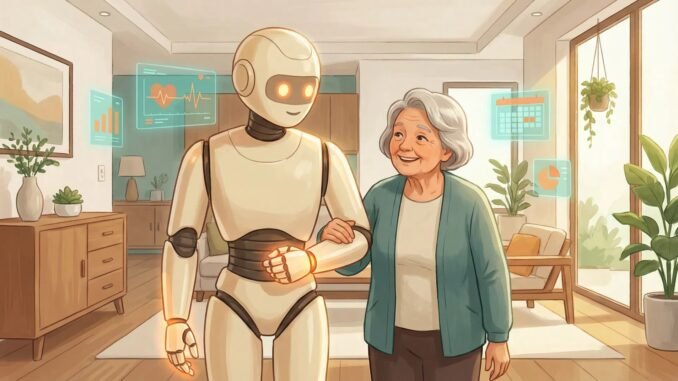
Your mom won’t ask Alexa for help because “talking to a machine feels silly.” Your dad prints MapQuest directions. Meanwhile, they’re struggling with tiny phone text, missing medication doses, and feeling isolated — problems AI is genuinely good at solving. If you’re asking how can AI help seniors stay independent at home — whether for yourself or a parent — here’s the encouraging truth: today’s AI tools are actually easier for many seniors than traditional technology, because you just talk to them. No menus to memorize, no tiny buttons. Just conversation.
The barrier usually isn’t capability — it’s intimidation and bad first experiences. The approach below starts with the single most useful application, builds confidence gradually, and respects the very legitimate concerns about scams and privacy that seniors (rightly) have.
How Can AI Help Seniors Stay Independent At Home? Start With Voice
The #1 recommendation: a voice assistant (Alexa, Google Assistant, or Siri). Why voice first:
- No learning curve. You speak; it responds. There’s nothing to “figure out.”
- Immediate daily value: “Set a timer for 20 minutes.” “What time is it?” “Call Susan.” “What’s the weather?” “Remind me to take my pills at 8am.”
- Medication reminders alone justify the device — missed doses are a major health issue, and a voice reminder that repeats until acknowledged beats any pill organizer app.
- Hands-free help: cooking (timers, conversions, recipes read aloud), getting up at night (“what time is it?”), emergencies (“call 911” works on most devices).
Setup tip for family: configure it for them — connect contacts, set up the medication reminders, add favorite radio stations. The first week determines whether it becomes a habit or a dusty gadget. Write down 5–10 example phrases on a card next to the device. Our guide on voice assistant privacy covers the settings to review during setup.
Health and Safety Applications
- Medication management: Beyond reminders, AI apps can explain prescriptions in plain language (“What is this pill for? What foods should I avoid with it?”) — though always verify with a pharmacist for anything critical.
- Fall detection: Apple Watch and similar devices detect hard falls and call emergency services automatically. For seniors living alone, this is genuinely life-saving technology worth the investment.
- Health questions: AI chatbots explain medical terms, help prepare questions for doctor visits (“I’m seeing my cardiologist Thursday. What should I ask about my new medication?”), and translate confusing instructions. Our AI in medicine guide explains what’s happening on the clinical side.
- Brain engagement: AI trivia games, conversation practice, learning new topics — cognitive engagement matters, and an infinitely patient conversation partner helps.
For reliable health information to complement AI answers, the National Institute on Aging offers trustworthy, senior-focused health resources — a good bookmark alongside any AI tool.
Connection and Daily Living
- Video calls made simple: “Alexa, call my daughter” or “Hey Google, video call John” — no apps to open, no buttons to find. This alone reduces isolation for many seniors.
- Reading assistance: AI reads articles, books, and emails aloud. For anyone with vision difficulties, this is transformative — pair with larger text settings on all devices.
- Memory support: “Remind me every Tuesday at 10am about bridge club.” “Where did I put… ” (well, it can’t find your glasses — but it can remind you where you said you’d put them if you tell it).
- Transportation: Family can set up simplified ride-hailing, or seniors can ask voice assistants for bus schedules and directions.
- Entertainment: “Play Frank Sinatra.” “Read me the news.” Audiobooks, podcasts, old radio shows — voice access to infinite entertainment.
The Scam Conversation (Essential)
This is the serious part. Seniors are disproportionately targeted by AI-powered scams — voice cloning (“grandma, it’s me, I’m in trouble”), fake videos, phishing messages. Every senior using technology needs this briefing:
- Establish a family code word for emergency calls. If “your grandson” calls asking for money but doesn’t know the code word, hang up.
- AI can now clone voices from seconds of audio. A panicked voice on the phone proves nothing. Always verify through a second channel (call back on a known number).
- No legitimate organization demands gift cards, wire transfers, or remote computer access. Ever. This rule alone blocks 90% of scams.
- When in doubt, hang up and call family. Make this the reflex, not embarrassment about “bothering” anyone.
The FTC’s consumer advice has senior-specific scam alerts worth reviewing together as a family.
Getting Started: The Family Playbook
- Start with ONE device and ONE use case. A smart speaker for medication reminders and calls. Master that before adding anything.
- Set it up completely before handing it over. Every account, contact, and reminder pre-configured. First impression determines adoption.
- Write the cheat sheet. A physical card with example phrases, kept next to the device.
- Schedule a weekly check-in for the first month — “what’s working? what’s confusing?” — then taper.
- Respect the pace. Some seniors adopt quickly; others need months. Patience beats pressure. The goal is their independence, not your convenience.
- Address privacy honestly. Explain what’s listened to and what’s not, review the privacy settings together, and let them decide their comfort level. Our AI privacy guide helps frame this.
Quick Answers: AI for Senior Independence
What’s the single most useful AI device for an elderly parent?
A smart speaker (Echo or Nest). Medication reminders, hands-free calling, timers, weather, and emergency voice-calling — all through simple speech, no menus or tiny buttons. Set it up fully before handing it over, with a cheat sheet of example phrases beside it.
How do I protect my parent from AI voice scams?
Establish a family code word for emergency calls, and drill one rule: any urgent money request gets verified by calling back on a known number — no exceptions. Voice cloning makes panicked voices meaningless as proof. The code word system is simple enough for any senior to use reliably.
The bottom line: voice-first AI tools are the most senior-friendly technology in decades — no menus, no tiny buttons, just conversation. Start with a smart speaker handling medication reminders and calls, add health and connection features gradually, have the scam-safety talk early and seriously, and let adoption happen at their pace. The goal isn’t to make seniors “tech-savvy” — it’s to make daily life easier and safer, which is what good technology is for.
Leave a Reply