
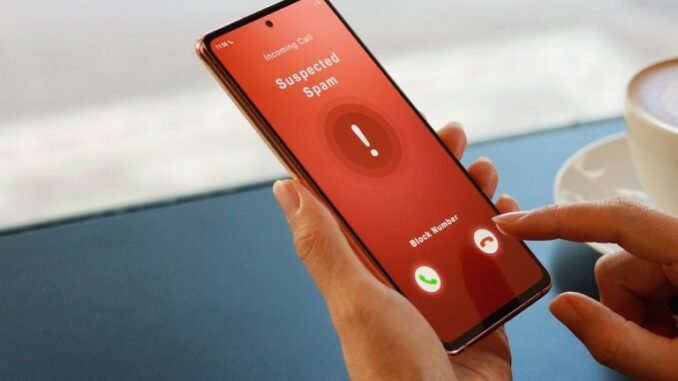
If you are wondering how do I stop robocalls on my cell phone, welcome to the club nobody wants to join. Americans get billions of robocalls every month, and I was getting five a day before I set up proper defenses. The good news: between built-in phone features, free carrier tools, and a couple of excellent apps, you can cut robocalls by 90% or more. It takes about 15 minutes to set up.
How Do I Stop Robocalls on My Cell Phone? Start With Built-In Blocking
iPhone: Silence Unknown Callers
Go to Settings > Phone > Silence Unknown Callers and turn it on. Calls from numbers not in your contacts go straight to voicemail without ringing. Legitimate callers leave voicemails; robocallers almost never do. This single setting eliminated about 80% of my spam calls overnight. The tradeoff: you might miss a call from a new doctor’s office or delivery driver, so check voicemail regularly for the first few weeks.
Android: spam protection and call screening
Open the Phone app > Settings > Spam and Call Screen. Turn on “See caller and spam ID” and “Filter spam calls.” Pixel phones go further with Call Screen, where Google Assistant answers unknown callers and transcribes their response in real time. Watching a robocaller hang up on a robot is deeply satisfying. Samsung phones have similar Smart Call spam protection built into their dialer.
Activate Your Carrier’s Free Spam Blocking
All three major US carriers now offer free network-level robocall blocking, and these catch calls before they even reach your phone:
- T-Mobile: Scam Shield. Free Scam Block and Caller ID. Turn it on in the Scam Shield app or dial #662# to enable Scam Block.
- AT&T: ActiveArmor. Free app with automatic fraud blocking and spam risk labeling.
- Verizon: Call Filter. Free basic version blocks high-risk spam calls automatically; the $2.99/month Plus version adds more.
Enable your carrier’s tool in addition to your phone’s built-in blocking. They work at different layers and stack nicely. This combination is what got me from five calls a day to maybe one a week.
The Best Third-Party Robocall Blockers
- RoboKiller ($4.99/month): The most aggressive blocker, famous for its “answer bots” that waste telemarketers’ time with hilarious recordings. Independent tests consistently rank it top for blocking accuracy.
- Nomorobo ($1.99/month): Cheaper, highly rated, blocks robocalls after the first ring. Won an FTC competition for robocall blocking tech.
- Hiya (free tier): Solid free option with spam identification; premium adds automatic blocking.
My take: try the free built-in and carrier tools first. Most people do not need a paid app. Consider RoboKiller only if you are still drowning after setting up everything else.
Why You Still Get Them (and What Does Not Work)
- The Do Not Call Registry: Register at donotcall.gov, it is free and takes two minutes. But know its limits: it stops legitimate telemarketers, not criminal scammers who ignore the law entirely. Still worth doing.
- Do NOT press 1 or say “remove me.” Interacting with a robocall, even to opt out, confirms your number is live and gets you more calls. Just hang up.
- Do NOT call back unknown numbers. The “one ring” scam hopes you will call back a premium-rate number, often overseas, that charges you by the minute.
- Neighbor spoofing: Scammers fake your area code and prefix so the call looks local. Never trust caller ID alone anymore.
Fight Back: Report Them
Reporting feels pointless, but it feeds the databases that power every blocking tool above. Forward spam texts to 7726 (SPAM), report calls at reportfraud.ftc.gov, and file complaints with the FCC. Each report helps pattern-match new scam campaigns faster.
Protect Elderly Relatives (They Are the Real Targets)
Scammers disproportionately target seniors. If you have older parents or grandparents: turn on Silence Unknown Callers for them, add important numbers (doctor, pharmacy, family) to contacts, and have the conversation that no legitimate organization demands gift cards or wire transfers over the phone. The IRS, Social Security, and police do not call demanding payment. Ever.
The Bottom Line
To stop robocalls on your cell phone, layer your defenses: enable Silence Unknown Callers (iPhone) or spam filtering (Android), activate your carrier’s free blocking tool, register on donotcall.gov, and never engage with spam calls. That combination cut my robocalls from five a day to nearly zero, and it will do the same for you.
Frequently Asked Questions
Does the Do Not Call Registry actually work?
It works against legitimate telemarketers, who face fines up to $43,792 per violation and generally comply. It does nothing against criminal scammers operating illegally, often from overseas, who ignore the registry entirely. Register anyway (it takes two minutes at donotcall.gov) because it eliminates the legal spam, leaving only the illegal kind for your blockers to handle.
Why am I getting calls from my own number or local numbers?
This is caller ID spoofing, trivially easy with internet calling technology. Scammers spoof local area codes (neighbor spoofing) because people answer familiar-looking numbers, and occasionally spoof the victim’s own number as a psychological trick. Never trust caller ID for unknown numbers; let them go to voicemail and verify independently.
Should I answer and press the opt-out option?
No. Any interaction, including pressing buttons or saying “remove me,” confirms your number reaches a live human, which increases its value to scammers and typically brings more calls. The only winning move with a robocall is hanging up immediately without pressing anything. Save opt-out requests for legitimate companies you recognize.
Can robocallers hack my phone just by calling?
No. Simply receiving or answering a call cannot install malware or hack your phone. The danger comes from what happens next: calling back premium-rate numbers, clicking links in follow-up texts, or giving personal information to the caller. The call itself is harmless; your response to it is where risk lives.
Leave a Reply