
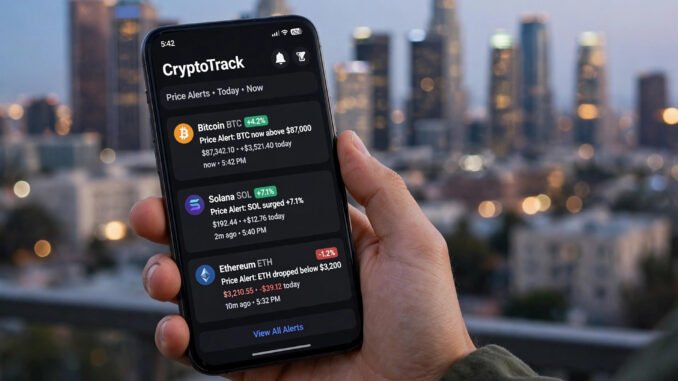
Crypto never sleeps, but you need to. Nobody can watch charts 24/7 — and in a market where a token can move 20% while you are stuck in traffic on the 405, price alerts are not a convenience, they are risk management. The good news: you do not need a paid trading terminal to get excellent alerts. The free tier of the right apps covers everything a non-day-trader needs, and setting them up properly takes about twenty minutes.
This guide shows how to set crypto price alerts that actually work on a tight budget in Los Angeles (or anywhere): which free tools to use, which alerts matter versus which create noise, and how to configure them so your phone helps instead of harassing you.
What Price Alerts Should Do for You
Before choosing tools, decide what job the alerts perform. For most holders, alerts serve three purposes: opportunity alerts (a coin you want to buy dips to your target entry), risk alerts (a holding drops below your stop-loss level so you can reassess), and milestone alerts (a position hits your profit target so you can take gains mechanically rather than emotionally). Notice what is not on the list: watching every 3% wiggle. Alerts should replace screen-watching, not replicate it.
A useful rule: if an alert fires and you would not act on it, delete it. Alert fatigue is real — traders who set forty alerts end up ignoring all of them, which is worse than having five sharp ones. Start with no more than 8–10 alerts total across your whole portfolio.
The Best Free Alert Tools (No Paid Plan Needed)
CoinGecko and CoinMarketCap
Both offer free price alerts via their mobile apps: set a target price or a percentage move, get a push notification. CoinGecko’s free tier is generous and its data is widely trusted; CoinMarketCap adds portfolio tracking. Either one covers the basics — pick one as your primary so alerts live in a single place. These aggregator alerts are delayed by a minute or two versus exchange prices, which is fine for swing decisions but not for scalping (which you should not be doing on a budget anyway).
Exchange-native alerts
Coinbase, Kraken, and other major US exchanges include free price alerts in their apps, triggered off their own real-time order books — faster and more accurate than aggregators. If you hold assets on an exchange, set alerts there for your most important levels. Kraken’s mobile app in particular offers clean, reliable alerting at no cost.
TradingView (free tier)
TradingView’s free plan includes alert functionality on any chart with remarkable flexibility: price crossing a level, RSI thresholds, moving-average crosses. The free tier limits how many active alerts you can run simultaneously (historically one server-side alert at a time on the free plan, with more on paid tiers), so reserve TradingView alerts for your highest-conviction setups. Its real value for budget users is the charting itself — drawing support and resistance levels visually, then setting alerts exactly on those lines.
Whichever tools you choose, compare them against neutral explainers like NerdWallet’s cryptocurrency exchange comparisons to make sure you are on a reputable platform before trusting it with alert-triggered decisions.
Setting Alerts That Do Not Drive You Crazy
Alert on levels, not noise
Set alerts at prices tied to your plan: your intended buy zone, your stop-loss, your take-profit targets. A 5% move alert on a coin you have no plan for is entertainment, not strategy. Write the plan first (even one sentence: “buy SOL if it retests $120 support”), then set the alert on that level.
Use percentage moves for portfolio-level awareness
One or two portfolio-wide alerts — “alert me if total portfolio drops 15% in a day” — catch black-swan events without requiring per-coin babysitting. Most portfolio trackers (CoinGecko, Delta, CoinStats free tiers) support this.
Silence hours and batching
Crypto trades around the clock, including 3 a.m. Los Angeles time when Asian markets move. Configure Do Not Disturb exceptions carefully: allow only your most critical alerts (stop-loss levels) to break through at night; let everything else wait for morning. An alert you sleep through and act on at 7 a.m. is still infinitely better than no alert.
Secure the apps sending you alerts
Your alert apps know what you hold and when you trade — that makes them targets. Lock every one of them down with the steps in our guide to setting up two-factor authentication, and review how to stop apps from tracking your location while you are hardening your phone — financial apps do not need your GPS.
What Free Alerts Cannot Do (Honest Limitations)
Free alerts will not make you a profitable trader — they are a notification system, not a strategy. They also will not protect you from the risks that actually destroy budgets: overleveraging, panic-selling into volatility, and holding tokens you never researched. Alerts work best as one component of a disciplined approach that starts with understanding risks regulators flag — the Investor.gov crypto resources are a sober counterweight to the hype that alert apps can amplify.
Also be realistic about speed: free alerts can lag 30 seconds to a few minutes behind live prices during extreme volatility. For long-term holders setting alerts at major levels, that lag is irrelevant. For anyone attempting to trade fast moves on free alerts — do not; the lag will eat you alive.
A 20-Minute Setup Walkthrough
Minutes 0–5: Install one aggregator app (CoinGecko or CoinMarketCap) and enable push notifications. Minutes 5–10: In your exchange app, set stop-loss and take-profit alerts for your two largest holdings. Minutes 10–15: Add opportunity alerts for 2–3 coins on your watchlist at prices you would actually buy. Minutes 15–20: Set one portfolio-level drawdown alert, configure Do Not Disturb exceptions, and delete any default “news” or “trending” notifications the apps enabled. Total cost: $0. Total ongoing effort: adjusting levels when your plan changes.
Conclusion
Setting crypto price alerts that work on a tight budget comes down to three choices: use the free tiers of CoinGecko/CoinMarketCap plus your exchange’s native alerts, set alerts only at prices tied to an actual plan (entry targets, stop-losses, profit-taking levels), and ruthlessly limit the count so every ping earns your attention. Configure night-time boundaries, secure the apps, and remember that alerts are a tool for executing a plan — not a substitute for having one. Twenty minutes of setup buys you the ability to live your life while the market does whatever it does at 3 a.m.
Frequently Asked Questions
What is the best free crypto price alert app?
CoinGecko and CoinMarketCap both offer solid free price alerts. For the fastest triggers, use your exchange’s native alerts (Coinbase, Kraken), which run off real-time order-book data rather than delayed aggregator feeds.
How many price alerts should I set?
No more than 8–10 across your entire portfolio. Every alert should map to a specific action (buy, sell, reassess). Alerts without a planned action create fatigue and get ignored.
Can free alerts replace watching charts all day?
For holders and swing traders, yes — that is exactly their purpose. Set alerts at your key levels and check charts only when alerted. They are not fast enough for day trading or scalping.
Do crypto alert apps cost money?
The core alert features on CoinGecko, CoinMarketCap, and major exchange apps are free. Paid tiers (like TradingView’s) add more simultaneous alerts and advanced conditions, but most non-professional users never need them.
Are price alert apps safe to use?
Reputable ones are, but they know your holdings — enable two-factor authentication on every financial app, use unique passwords, and limit the permissions (like location access) you grant them.
Leave a Reply