
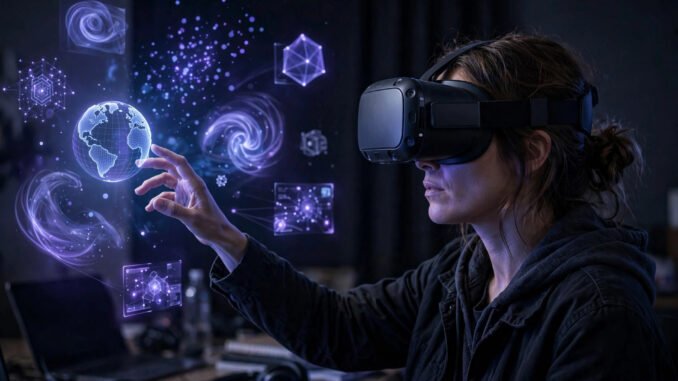
A virtual reality headset is a machine built to mislead two senses at once. It shows each of your eyes a picture that was never in front of you, and at the same moment it has to keep your sense of balance believing you are somewhere else. Most people assume the screens do the heavy lifting. They matter, but they are not the reason the trick holds together. The reason is timing, enforced across every part of the system with very little room for error.
The core trick: giving your brain the cues it expects
A headset manufactures those clues on purpose. It renders a scene twice, from two viewpoints placed about where your eyes sit. It updates both views as you turn, lean, or crouch, so near objects slide past far ones the way they should. And it fills a large part of your view, so the edges of the picture stop reminding you that you are looking at a display. Presence, the word VR makers use for the feeling of being there, is what happens when enough of those clues line up at once and your brain stops arguing with them.
Two pictures, one for each eye
The starting point is a separate image for each eye. If you hold a finger in front of your face and close one eye and then the other, the finger seems to jump against the background. That jump is the difference your brain uses to judge distance. A headset recreates it by rendering the left-eye and right-eye views from viewpoints offset by roughly your eye spacing, so a virtual table edge lines up differently for each eye just as a real one would.
You can compare the current generation of VR headsets on many specs, but the display choice behind all of them is this paired-image method, called stereoscopy, the two-image trick. It is an old idea, older than cinema. What is new is that a computer redraws both images dozens of times a second in response to your head, so the depth stays correct while you move instead of freezing the moment you turn.
Resolution carries unusual weight here because the screens sit so close and the lenses magnify them. Pixels that would be invisible on a television become a visible grid in a headset, an effect often called the screen door effect, as if you were looking at the world through a fine mesh. That grid breaks the illusion at once, which is why makers keep pushing pixel counts higher. As one example of where mainstream hardware now sits, the Quest 3 uses panels at 2064 by 2208 pixels per eye. Higher numbers help, but they also demand more processing for every frame, which connects the display directly to the timing problem covered below.
Lenses turn a near screen into a far world
Hold your phone two inches from your eyes and try to focus on it. You cannot do it comfortably, and a headset screen sits at about that distance. The lenses solve this. They bend the light from the displays so your eyes can focus as if the image were much farther away, and they spread that image across a wide view so it surrounds you instead of sitting in a small rectangle.
Older headsets mostly used Fresnel lenses, which carry fine ridges and can produce rings of glare around bright objects, along with softness toward the edges. Newer headsets often use pancake lenses, a flatter stack that lets the headset sit thinner and closer while keeping the edges sharper. The trade is cost and light: pancake designs tend to pass less light, so the displays behind them need to work harder. Neither design is magic. Both are compromises between size, sharpness, brightness, and price.
The width of what you can see at once is the field of view. Mainstream headsets offer roughly 100 to 110 degrees. That is wide enough to feel enveloping when you face forward, and still clearly less than your natural vision, which reaches much farther to the sides. The gap is why VR can feel a bit like looking through goggles or a diving mask. You notice it most in the first minutes. Your brain adapts to it faster than you would expect, but it never fully disappears, and wider fields of view remain one of the hard, expensive frontiers for designers.
Tracking: the half you never see
A correct pair of images is useless if the headset does not know where your head is. Tracking supplies that knowledge. Modern standalone headsets use cameras mounted on the outside of the device that watch the room around you: the edges of furniture, patterns on walls, the position of your controllers. By following how those features move as you move, the system works out where the headset is in the room. This is called inside-out tracking because the sensors look outward from the headset itself, with no external boxes to set up.
Cameras alone are too slow for the fastest part of the job, so headsets also carry inertial sensors, close cousins of the sensors that tell a phone it has been rotated. These sample motion hundreds of times a second. The cameras anchor the headset in the room and correct drift over time, while the inertial sensors catch the quick turns between camera updates. Together they track your head in six degrees of freedom: three for rotation, meaning turning, tilting, and nodding, and three for position, meaning moving forward, sideways, and up or down.
Six degrees is the line between older, simpler VR and the modern kind. A system that tracks rotation only lets you look around from a fixed point, like a person whose feet are glued to the floor. A system that also tracks position lets you lean around a corner, duck under a virtual beam, or step closer to read a sign, and the world responds correctly. Controllers are tracked the same way, by cameras, sensors, or both, so your hands exist in the scene with a position and an angle, not just as buttons being pressed.
Why the clock rules everything
Now the part that decides whether any of the above feels real or makes you unwell. Motion-to-photon latency is the delay between you moving your head and the updated light from the displays reaching your eyes. For VR to feel stable, that delay needs to stay under roughly 20 milliseconds. Twenty thousandths of a second is the entire budget for sensing the movement, working out the new viewpoint, drawing two high-resolution images, and showing them.
Frame rate is the other half of the same demand. Headsets commonly render at 90 frames per second per eye as a floor, with some modes running higher. Each frame is a deadline. Miss it, and the system either repeats the last image or estimates where your head will be and warps the picture to match, both of which are patches over a missed deadline rather than true fixes.
When the image lags behind your head, your eyes and your vestibular system, the balance organs in your inner ear, disagree about how you are moving. That disagreement is the main cause of simulator sickness in VR. Symptoms can include eye strain, a warm or sweaty feeling, nausea, and a lasting sense that your balance is off after you take the headset off. Some people are far more sensitive to this than others, and the same person can handle one kind of content easily and struggle with another that involves artificial turning or acceleration.
You can lower the risk in sensible ways. Sit down for your first sessions. Choose slower content without forced camera movement. Keep sessions short and take real breaks in fresh air between them. Make sure the lens spacing and headset fit are right before blaming yourself. And here is the line that should never be softened: stop if you feel ill. Take the headset off, sit down, and wait until you feel fully normal again. Pushing through sickness does not build tolerance in that moment. It tends to make the feeling worse and can leave you unsteady afterward.
Standalone, tethered, and console headsets
Where the computing happens divides the market into three broad camps. Standalone headsets carry their own processor, battery, and storage in or on the device. They use mobile-class chips, need no wires and no other machine, and can be used anywhere with a clear patch of floor. The cost of that freedom is a lower ceiling for graphics: smaller chips draw less power and make less heat, so scenes are simpler than what a large computer can draw.
Tethered headsets borrow the power of a gaming PC. The PC does the heavy rendering and sends the images to the headset over a cable or, in some setups, a fast wireless link. The pictures can be far richer, and large simulations and detailed racing or flight titles benefit most. The price is the PC itself, plus setup, plus a cable or connection to manage. How that trade looks depends on whether you already own a strong computer, which is the same question at the heart of console versus PC gaming compared for flat screens: the headset is only part of the total bill.
Prices move often, so treat these as recent guide figures and check current prices before buying. At recent US list prices, standalone headsets start at around $300 for the entry class, such as the Quest 3S class of device, and the stronger standalone models run around $500. Tethered and console options add the cost of the machine that feeds them, which is why a headline headset price, on its own, tells you so little about the real total.
Where VR still falls short
The limits are just as real. Battery life on most standalone headsets is typically a couple of hours, so long sessions need a charge, a cable, or a spare battery pack. Comfort varies: a front-heavy device presses on the face, straps can pull at hair, and glasses wearers need spacer settings or prescription lens inserts in many models. VR is also isolating by design. You cannot see the coffee table, the pet, or the person trying to talk to you, which is why a clear play area and a boundary system you actually set up are not optional extras.
Leave a Reply