
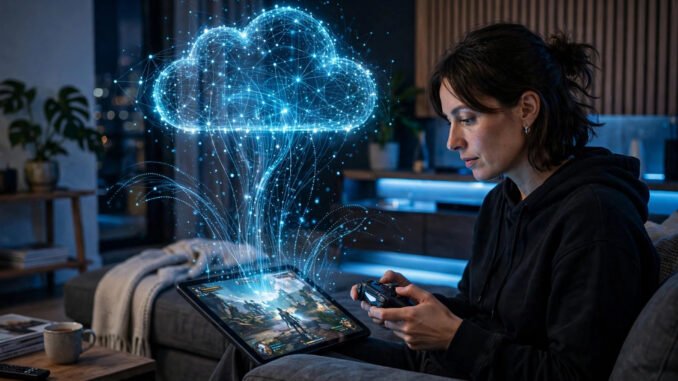
Cloud gaming is odd among new technologies because the result comes before the understanding. You can be playing a modern game on a five-year-old laptop within the hour, long before you can explain why it felt smooth at 9pm and fell apart at 7pm. That order is helpful. You do not need to study the subject first and hope it works later. You can test it free, learn what your own connection does to it, and reach a verdict in about a month.
The concept itself takes about 20 minutes to grasp. The game does not run on your device. It runs on a remote server. That server renders the game, turns the picture into a video stream, and sends the video back to you. Your controller inputs travel the other way. Your device is a screen and a controller, not a console. For a full technical history, see cloud gaming, the technology in full.
That split is why your hardware stops being the limit. A $200 Chromebook, a phone, or an old laptop can play games that would otherwise need a console costing around $500 or a gaming PC costing around $1,500, because the hard work happens elsewhere. The trade is plain: you swap a dependence on expensive hardware for a dependence on your internet connection, and you accept a small delay and some video compression in return.
Phase 1: The first hour
Start free. Sign up for the free tier of GeForce NOW, or play Fortnite free through Xbox cloud gaming, and you skip spending money before you know whether the idea works where you live. Keep that first session simple. Pick a forgiving story game, one where a slow moment costs you nothing, sit where you would normally play, and use your connection as you normally would.
The first minutes often bring a genuine surprise. A screen that has no business running a big modern game is running one, with no download and no install wait. That surprise is the first real result, and it arrives inside the first hour. It does not prove every game on every evening will feel that good. It proves the basic chain works on your connection, on your device, in your home.
Four moving parts sit behind that simple start. First, the servers live in data centers near big cities, packed with strong graphics hardware, because distance is the enemy. Second, the server encodes the picture very fast, squeezing each frame into a stream that can travel without delay piling up. Third, your connection carries everything, with no local copy to fall back on. Fourth, the app or browser tab on your device does almost no work. It decodes video and sends your inputs back, which is why so many ordinary devices qualify.
Phase 2: The first week
The first week teaches you less about cloud gaming in general and more about your own home. Connections have a personality that changes by hour. A game that played cleanly in the afternoon can get soft and laggy in the evening, when the whole street is online. That is congestion, and learning when it hits you is one of the most useful things this week shows you.
Rooms matter too. Wi-Fi that feels fine for browsing can have dead zones, corners and floors where the signal drops and the stream suffers. Playing near the router on a strong 5 GHz signal usually feels far better than playing at the far end of the house, and a wired ethernet cable, where you can run one, removes most of the guesswork. A small move to a closer room can change the experience more than any setting inside a game.
Speed numbers help if you read them the right way. NVIDIA’s published guidance puts the need at about 15 Mbps for 720p, about 25 Mbps for 1080p, and about 45 Mbps for 4K-class streams. Treat those as a floor, not a promise. A steady 25 Mbps line will usually give a better game than a jittery 200 Mbps line that surges and dips, because a stream needs a steady flow, frame after frame, not a fast average with gaps in it.
Delay is the other half of the lesson. On a good connection, the total added delay typically sits around 30 to 80 milliseconds. Story games, role-playing games and strategy games absorb that with ease, because nothing in them turns on a split-second reaction. Competitive shooters and fighting games are different. There, a small delay sits on the part of the game that matters most, and many players find it hard to accept, however good the picture looks.
There is a hard floor under that delay, and it is not a fault anyone can fix. Light in fiber covers roughly 200 kilometers in a millisecond, so the trip to the server and back takes real time before encoding and decoding add their share. Distance plus processing can be reduced, and good services work hard at it, but it can never be removed entirely. Latency, at its root, is physics. The fair question is whether the delay is small enough for the games you actually play.
Phase 3: The first month
By the first month the question changes, from whether cloud gaming works to what steady use costs in hours, data and control. Start with the new metering on Xbox. Cloud gaming now comes with every Game Pass tier, but each tier carries a monthly hour allowance: Essential at $9.99 a month includes 5 hours, Premium at $14.99 includes 10 hours, and Ultimate at $22.99 includes 15 hours. Ultimate streaming used to be unlimited, for years, and now it is counted. Extra Cloud Playtime hours can be bought as the November 2026 rollout lands. For a wider comparison, see game subscription services: how they actually work in 2026.
GeForce NOW runs a different model. It streams games you already own, rather than lending you a library, and its paid tiers carry a 100-hour monthly playtime allowance. The tiers are Free at $0, Performance at $9.99 a month, and Ultimate at $19.99 a month, with Ultimate running on RTX 5080-class rigs. Background on the service is at GeForce NOW, NVIDIA’s bring-your-own-games service. Because the games stay yours, a change to the service does not take your collection with it.
Two other options fill out the picture. PlayStation Plus Premium, at roughly $160 a year on annual billing, suits PlayStation owners who want streaming alongside the rest of that membership. Amazon Luna offers a rotating selection included with Prime, so many households already have some access at no extra cost. All of these are US list prices, and they change, so check the current price before you pay.
Data is the cost people forget until a provider warning arrives. Plan on roughly 10 GB an hour at 1080p-class settings, less at 720p and more at 4K. The maths is worth doing early: 50 hours at roughly 10 GB an hour comes to about 500 GB. If your home has a data cap, that figure can settle the whole question. Check the cap first, then decide how many hours your plan can honestly carry.
The ownership lesson comes from a closed service. Google announced the shutdown of Stadia in September 2022, and it closed in January 2023. The games had not failed. The door simply closed, and access ended with it. That is why the safer pattern is to prefer services that stream games you own, or that bundle streaming with downloads, so a change in terms or a shutdown does not erase the games you care about.
Compression belongs in the same honest accounting. A streamed picture is a compressed picture, and side by side with the same game on local hardware, the local version still wins. Dark scenes and fast motion can show the squeeze. Accept that going in, and it rarely spoils anything. Expect a stream to match a good local machine pixel for pixel, and you will be disappointed for the wrong reason.
The verdict after a month
Three honest outcomes cover almost everyone. The first is cloud gaming as a primary platform. That works when your connection is excellent and steady, your data allowance can carry the hours, and the games you love are the forgiving kind that absorb a small delay. For that reader, the saving on hardware is real and the trade is fair.
The second outcome is the most common happy one: cloud gaming as a supplement. Use it to try a game before a download of around 100 GB. Use it when you travel, or as a second screen in another room. In that role it does not need to be perfect or unlimited. It just needs to be there when it is handy, and that modest job is the one it does best.
The third outcome is that it is not for you, at least not yet. Rural internet that cannot hold a steady stream, competitive play where delay decides matches, or a tight data cap that makes every hour a worry — any one of those is a sound reason to walk away. It means the trade does not fit your home or your games right now.
So the timeline is short to learn, quick to test, and slower to trust: about 20 minutes to understand the concept, inside the first hour to the first real result, and about a month of real use to a verdict you can trust. That verdict depends on your connection and your genres, not on a speed test alone. Give it the month, watch the hours and the data as you go, and the answer you reach will be your own.
Leave a Reply