
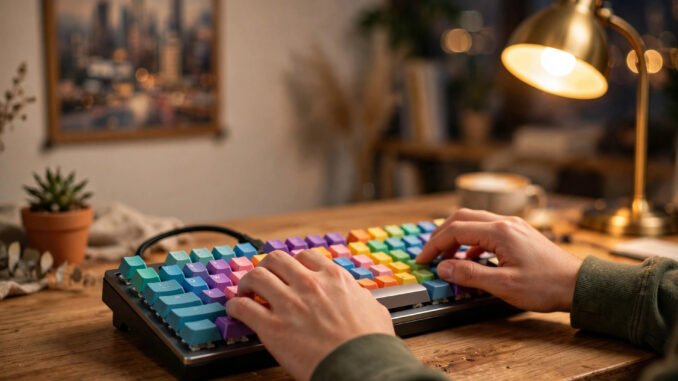
There’s a peculiar moment every laptop typist has: you try a friend’s mechanical keyboard, feel that crisp, deliberate keypress, and suddenly your own keyboard feels like typing on wet cardboard. Then you look up prices and see boards costing $150, $200, more — and the dream dies. It shouldn’t. The mechanical keyboard world has a thriving budget tier where $30 to $60 buys you 90% of the premium experience, and Austin, Texas happens to be a genuinely good city to shop it in person. Here’s how to choose wisely on a tight budget: what actually matters, what’s marketing, and where in Austin to put your hands on boards before you buy.
What “Mechanical” Actually Means
Under each key of a mechanical keyboard is an individual physical switch — a spring-loaded mechanism that registers the press — versus the rubber dome sheet under most laptop and cheap desktop keyboards. That switch is the whole story. Switches come in three families: linear (smooth press all the way down, e.g., Cherry MX Red clones — favored for gaming), tactile (a small bump mid-press you can feel, e.g., Brown clones — the all-rounder), and clicky (tactile bump plus an audible click, e.g., Blue clones — satisfying, and your coworkers’ nightmare). For a first board on a budget, tactile is the safe default: you get the mechanical feel without the clicky noise complaints. Almost everything else about a keyboard — the case, the keycaps, the backlighting — is secondary to the switches. A $35 board with decent tactile switches types better than a $120 board with mushy ones. Internalize that and you’re immune to most marketing.
The Budget Reality: What $30–$60 Buys in 2026
The budget mechanical market is brutally competitive, which is great for you. Names to know: Redragon (the long-reigning budget king — the K552 runs about $35 and has survived years of community scrutiny), Royal Kludge / RK (wireless-capable boards around $45–$55), and Keychron’s C series (the C3 Pro and similar, often under $50, with the brand’s reputation for quality control). What you get at this price: genuine mechanical switches (usually house-brand clones of Cherry designs — perfectly good), solid plastic cases, and increasingly hot-swappable sockets, meaning you can pull switches out and press new ones in with no soldering. That last feature is the budget buyer’s superpower: it turns a $40 board into a platform you can upgrade switch-by-switch later. What you don’t get: premium aluminum cases, exotic keycap materials, or fancy gasket mounts. None of those affect how typing feels nearly as much as the switches do. Check current community favorites on RTINGS’ keyboard reviews, which measure rather than hype, and PC Gamer’s hardware coverage for budget roundups.
Shopping in Austin: Where to Touch Before You Buy
Keyboards are tactile purchases — specs lie, fingers don’t — so Austin’s retail options matter. Altex Electronics, the local institution with locations including the Burnet Road store, stocks a range of keyboards and is the kind of place where staff will let you actually type on floor models; call ahead to confirm what’s on display. Best Buy locations around the metro (Arboretum, Southpark Meadows) carry mainstream gaming boards from Razer, Logitech, and Corsair — usually the pricier end, but invaluable for feeling the difference between switch types before ordering a budget equivalent online. For the true tight-budget play, Austin’s thrift ecosystem — Goodwill and Savers locations — occasionally turns up older mechanical boards (vintage IBM Model Ms still surface) for under $15; bring a phone to look up model numbers on the spot. And the Austin keyboard meetup scene, organized through online communities, is where enthusiasts bring their $300 custom builds and will happily let a newcomer type on everything — it’s the fastest free education in what “good” feels like, and nobody will judge a Redragon.
Layouts, Sizes, and the Features Worth Paying For
Keyboards come in sizes, and smaller is cheaper — but not always better for you. Full-size (with numpad) suits spreadsheet work; tenkeyless (TKL) drops the numpad; 75% and 65% compress further; 60% drops the arrow keys entirely. For a first board, TKL or 75% is the sweet spot: meaningful desk space savings without relearning where keys live. Features worth a few extra dollars: hot-swap sockets (upgrade path, as discussed), tri-mode connectivity (wired + 2.4GHz + Bluetooth — genuinely useful if you switch between devices), and PBT keycaps (a denser plastic that resists the shiny worn look ABS caps develop). Features to skip on a budget: per-key RGB (pretty, adds cost, zero typing benefit), “gaming” branding premiums, and exotic switch marketing — a well-made clone beats a famous name with poor quality control. Pair your choice with guidance on the best keyboard-and-mouse combos for working from home if the board is for a home office, since ergonomics multiply across a full setup — and remember the board is one piece of being more productive while working from home, not a magic fix by itself.
What Not to Waste Money On
Three traps catch budget buyers. Trap one: buying switches you’ve never felt. “Linear vs. tactile” is abstract until your fingers vote — that’s what the Austin store visits are for. Trap two: the artisan keycap rabbit hole. Gorgeous, and a single cap can cost more than your whole budget board. Admire from afar until the basics are sorted. Trap three: upgrading too fast. Type on the budget board for a month first. Many people discover their $40 choice was already their endgame, and the ones who upgrade do it with informed preferences instead of guesses. Also skip: expensive coiled cables (aesthetic only), switch films and exotic lubes for a first board (diminishing returns until you know what you’re chasing), and “limited edition” colorways at 2x markup. The mechanical keyboard hobby has an enthusiast tier where $300+ boards make sense — for people who’ve typed enough to know exactly what they want. You’re not there yet, and that’s fine. A tight budget plus informed choices beats an open wallet plus guesswork every time.
Can you choose a mechanical keyboard on a tight budget in Austin, Texas? Easily — and Austin’s combination of Altex, big-box display models, thrift luck, and an active enthusiast community makes it one of the better American cities to do it. Learn the three switch families, set $40–$60 as your target, prioritize hot-swap, touch before you buy, and resist the artisan keycap siren song for at least a month. Your fingers will thank you every workday for years — which, amortized, makes a $45 keyboard one of the cheapest upgrades in your entire setup.
Frequently Asked Questions
Are cheap mechanical keyboards actually good?
Yes, now more than ever. The budget tier ($30–$60) uses decent clone switches and increasingly includes hot-swap sockets. The typing experience rivals boards costing three times as much; you’re giving up premium materials and refinement, not the core mechanical feel.
What’s the best switch type for a beginner?
Tactile (Brown-style) switches. They give the signature mechanical feedback bump without the noise of clicky switches, and they work for both typing and gaming. Try all three families in a store if you can — personal preference varies enormously.
Is hot-swap really important?
For budget buyers, yes — it’s the single most valuable feature. It lets you replace individual switches without soldering, so a cheap board becomes upgradable: try new switch types for a few dollars instead of buying a whole new keyboard.
Where in Austin can I try keyboards in person?
Altex Electronics (Burnet Road and other locations) is the local specialist — call ahead about display models. Best Buy stores carry mainstream gaming keyboards for comparison. Keyboard meetups, announced in online communities, let you try enthusiast builds free.
How long do mechanical keyboards last?
Quality mechanical switches are rated for 50–100 million keystrokes per switch — effectively decades of normal use. The switches will outlast the keycap legends and probably your interest in the board. It’s a buy-it-for-years purchase even at $40.
Leave a Reply