
Figuring out how to stay connected to Wi-Fi while traveling abroad cheaply can save you hundreds of dollars per trip — international roaming at $10–$15 per day from US carriers adds up fast on a two-week vacation. The good news: between eSIMs, portable hotspots, and smarter use of free Wi-Fi, staying online abroad has never been cheaper. I spent three weeks across Europe last year and paid under $40 total for data. Here’s exactly how.
Option 1: eSIMs — The Cheapest Option for Most Travelers
An eSIM is a digital SIM you buy online and install on your phone — no physical card, no store visit. If your phone is from the last few years (iPhone 11+, Pixel 3+, most Samsung Galaxy S20+), it almost certainly supports eSIM.
Providers like Airalo, Holafly, and Nomad sell country and regional data plans. Typical prices:
- Europe (30+ countries), 10GB, 30 days: ~$20–$25
- Single country, 5GB: ~$8–$12
- Global plans: ~$35–$50 for 10GB
Buy and install the eSIM before you leave home while you’re on Wi-Fi, then activate it when you land. Keep your US line on for incoming texts (bank codes, two-factor authentication) but turn off its data roaming. One caution: most eSIM data plans are data-only — no local phone number. For calls, use WhatsApp, FaceTime Audio, or Google Voice over data.
Option 2: Your Carrier’s International Plan (Convenient, Pricier)
If you’d rather not fiddle with anything, the big US carriers offer travel passes:
- T-Mobile: many plans include free international data (slower speeds, usually fine for maps and messaging) in 215+ countries. Check your plan — this alone may be all you need.
- AT&T International Day Pass: $12/day, only charged on days you use it, capped monthly.
- Verizon TravelPass: $12/day similarly.
At $12/day, a 10-day trip costs $120 — versus $20 for an eSIM. The carrier pass wins on convenience; the eSIM wins on price by a mile. My take: if you’re traveling more than 4–5 days, the eSIM pays for itself almost immediately.
Option 3: Portable Wi-Fi Hotspots
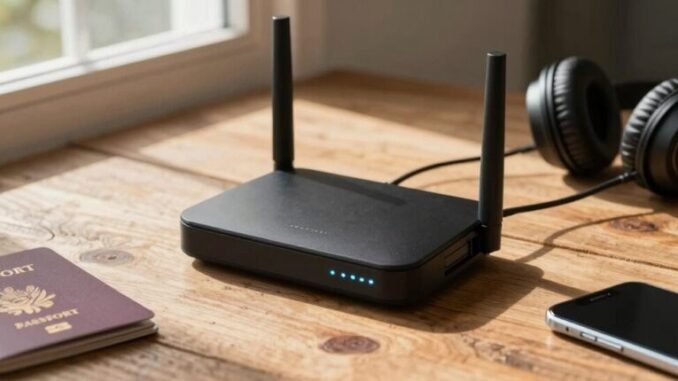
A pocket hotspot (like Solis or a locally rented device) creates a Wi-Fi network for multiple devices — handy for families or if you carry a laptop and tablet. Rental hotspots run $7–$12/day with unlimited data in many regions. The math works if 3+ people share one device; for solo travelers or couples, eSIMs are cheaper.
Option 4: Local SIM Cards
Buying a physical SIM at your destination is still the cheapest per-gigabyte option in many countries — $5–$15 for generous data in places like Thailand, Portugal, or Mexico. The trade-offs: you need an unlocked phone, you lose your US number while it’s installed (unless you have dual-SIM), and airport kiosks overcharge — buy in town instead. Worth it for trips of 2+ weeks in one country.
Free Wi-Fi: Use It Smartly
Hotels, cafés, airports, and even many city centers offer free Wi-Fi. To stretch it safely:
- Download offline maps (Google Maps) and translation packs before you leave — navigation is the #1 data use abroad.
- Use a VPN on public networks. Free hotel Wi-Fi is notoriously insecure; a basic VPN subscription ($3–$5/month) protects logins and banking.
- Turn on Wi-Fi calling so you can receive calls and texts over Wi-Fi without roaming charges.
- Pre-download entertainment: Netflix, Spotify, and Kindle content for flights and transit days.
The FCC’s international travel guide is worth a skim before any trip — it covers roaming charges and how to avoid bill shock.
My Actual Setup (What I’d Recommend)
For a typical 1–2 week trip: buy a regional eSIM before departure ($20–$30), keep your US line active for texts only, download offline maps and media at home, and lean on hotel Wi-Fi with a VPN in the evenings. Total connectivity cost: under $35. Compared to $150+ in carrier day passes, that’s money better spent on an extra nice dinner — which, let’s be honest, is the whole point of the trip.
Connectivity Mistakes to Avoid Abroad
- Forgetting to turn off data roaming on your US line: background app refreshes can burn through $50+ in roaming before you notice. Turn off cellular data for your US line the moment you land (keep the line on for texts/calls over Wi-Fi).
- Buying the eSIM at the airport: airport kiosks charge 2–3x online prices. Buy from Airalo or Nomad before departure while you’re on home Wi-Fi.
- Assuming “unlimited” means unlimited: many travel eSIMs throttle after a cap or deprioritize speeds. Read the fair-use terms — 10GB of full-speed data beats “unlimited” at 3G speeds.
- Not downloading offline essentials: maps, translation packs, boarding passes, and hotel confirmations should be on your phone before you leave. Airport Wi-Fi is unreliable exactly when you need it most.
Staying Connected Abroad FAQs
Will my phone work with an eSIM?
If it’s carrier-unlocked and from roughly 2019 or later (iPhone 11+, Pixel 3+, Galaxy S20+), almost certainly yes. Check Settings → Cellular → Add eSIM (iPhone) to confirm. Locked phones (still on carrier payment plans) can’t use eSIMs until unlocked.
Can I keep my US number active with an eSIM?
Yes — that’s the beauty of dual-SIM. Your US line stays active for calls/texts (turn off its data roaming), while the eSIM handles all data. You’ll still receive bank verification texts and two-factor codes.
How much data do I actually need?
Maps + messaging + light browsing: 1–2GB per week. Add social media and photo uploads: 3–5GB per week. Video calls and hotspot tethering: 10GB+ per week. When in doubt, buy the larger plan — topping up mid-trip costs more.
Is hotel Wi-Fi safe for banking?
Not without protection. Use a VPN ($3–$5/month — NordVPN, Mullvad) on any public or hotel network before logging into banks, email, or anything sensitive. Or just use your eSIM data for banking — cellular data is inherently more secure than shared Wi-Fi.
Leave a Reply